
The Best Voice AI for Restaurants: How Kea’s Call Experience Actually Works

Building consumer products with Voice AI
We’re opening up the vault on how Kea’s AI works. As we’ve developed our product and onboarded each restaurant, many people ask: How does the AI call experience actually work? How is it curated and personalized for each brand? How does Kea AI get such high accuracy?
We have been answering phones for eight years in the restaurant industry, learning from hundreds to thousands of menus and addressing every restaurant edge case.
Now we want to provide insight into our process for those looking to take on Voice AI for their restaurant.
A Quick History of Kea AI
Back in 2023, OpenAI’s GPT-4o changed the game. It opened an entirely new realm of possibilities. At that point, Kea already had a blended AI and machine-learning product doing very well across hundreds of restaurant locations. These included brands like California Fish Grill, Hopdoddy, and Newk’s. With updates to LLM models, we knew we had to reinvent ourselves. So we ripped everything out and started from scratch.
We built a new brand portal focused on self-service. Our philosophy: anything we can do behind the scenes, a restaurant should be able to do independently. This transparent and honest approach resonated in a margin-focused industry, leading to our robust restaurant Voice AI Brand Portal.
Starting with mom-and-pop shops in Portland, OR, and the Bay Area, Kea has expanded nationwide, even reaching Hawaii, reflecting Kea’s rapid, widespread adoption.
Unique features of Kea AI include Kea Pay, for digital wallet payments via Voice AI. Text AI allows customers to text via SMS alongside voice interactions for multimodal conversations. Brands can also see call intent across Kea’s multi-channels through the AI Manager.
“We’re getting a great result from the Kea AI. It’s helping us bring in at least 40 grand, at least.” - JB, Operator at Pizza Paradiso, high-volume Pizza Restaurant in Maui, Hawaii.
How Kea’s AI Call Experience Works
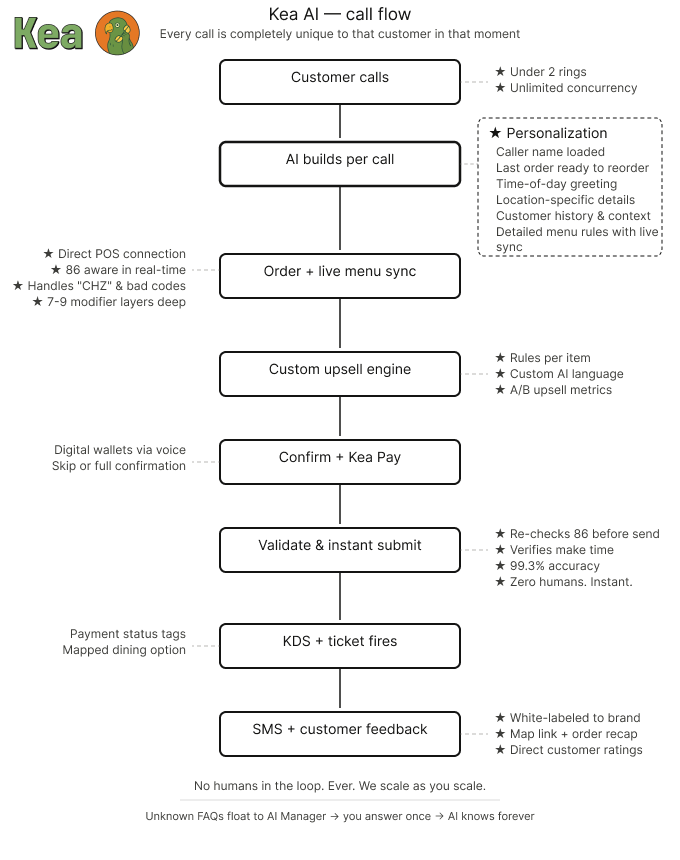
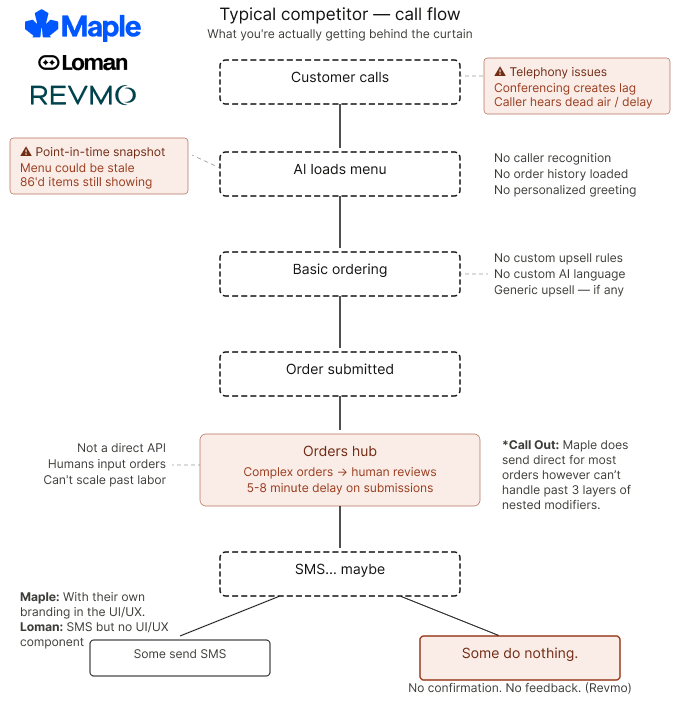
Other Voice AI Call Experiences
1. Creating An Account
After creating an account and providing brand details, we gather public information and frequently asked customer questions. Our customer success team fills in gaps, connects the POS menu, and finalizes setup. For support, reach out via the dedicated Kea AI concierge number.
Onboarding takes about 15 minutes. After setup, we recommend testing for a week to fine-tune the AI and align with the brand. Some brands have gone live immediately, but testing ensures everything fits the brand's preferences for a successful activation.
Once approved, forward the restaurant’s main phone number to the dedicated Kea AI phone number or use our dedicated number as a new phone number. This completes onboarding and activates Kea for the restaurant.
“And I would say, you know, honestly, one of the most painless rollouts or launches, I've done, especially this year where we've we've launched a few other platforms.” - Kip Welsch, CEO of Via 313, Kea AI Customer | 25 locations Live on Kea AI
2. Phone Call Starts
A customer calls the restaurant. The main line forwards to Kea, which is hosted on our telephony provider. Here’s what’s special: We generate the AI in real time during the call. Menu information, brand details, and location-specific details are assembled for that interaction. If we recognize the phone number, we load the caller's details and their last order, making the call feel more personalized. Depending on the time of day, we use specific greeting messages from scheduled greetings in the portal.
Every call is unique, generated based on time, location, and menu details. Kea deeply personalizes each call to the brand and customer. No two calls are the same. Unlike other solutions, we deliver this level of personalization in under two rings with no human intervention and unlimited concurrency, setting us apart in the market.
3. The Customer Begins their Order
Brands are surprised by how many customers call back and reorder their last order because of how we generate the AI. We make this seamless by loading their order history for each call, fully customizable to any date range.
As the customer builds their order, the AI checks exact menu details from the point-of-sale system. This is critical. We don’t want to accidentally add mushrooms if they’ve been 86’d that night because of a missed food purveyor delivery.
Our AI follows the exact menu instructions. We also handle difficult menus gracefully. Spelling cheese as “CHZ”? Marketing terms for the supreme pizza? Over eight years, we’ve seen it all. Our secret sauce is how the AI maps natural language to menu knowledge and keeps calls flowing.
For questions, the AI can answer with location info. For anything else, we don’t hallucinate. The AI honestly and politely says, “I actually don’t know that.” Here’s the cool part: Unknown FAQs surface to the AI Manager for restaurants to address quickly. Answer them once, and the AI knows it forever.
Bonus: Want the AI to know customers from day one? We support bulk customer uploads within our secure PII portal, so callers are greeted by their first name from the start.
4. Upselling
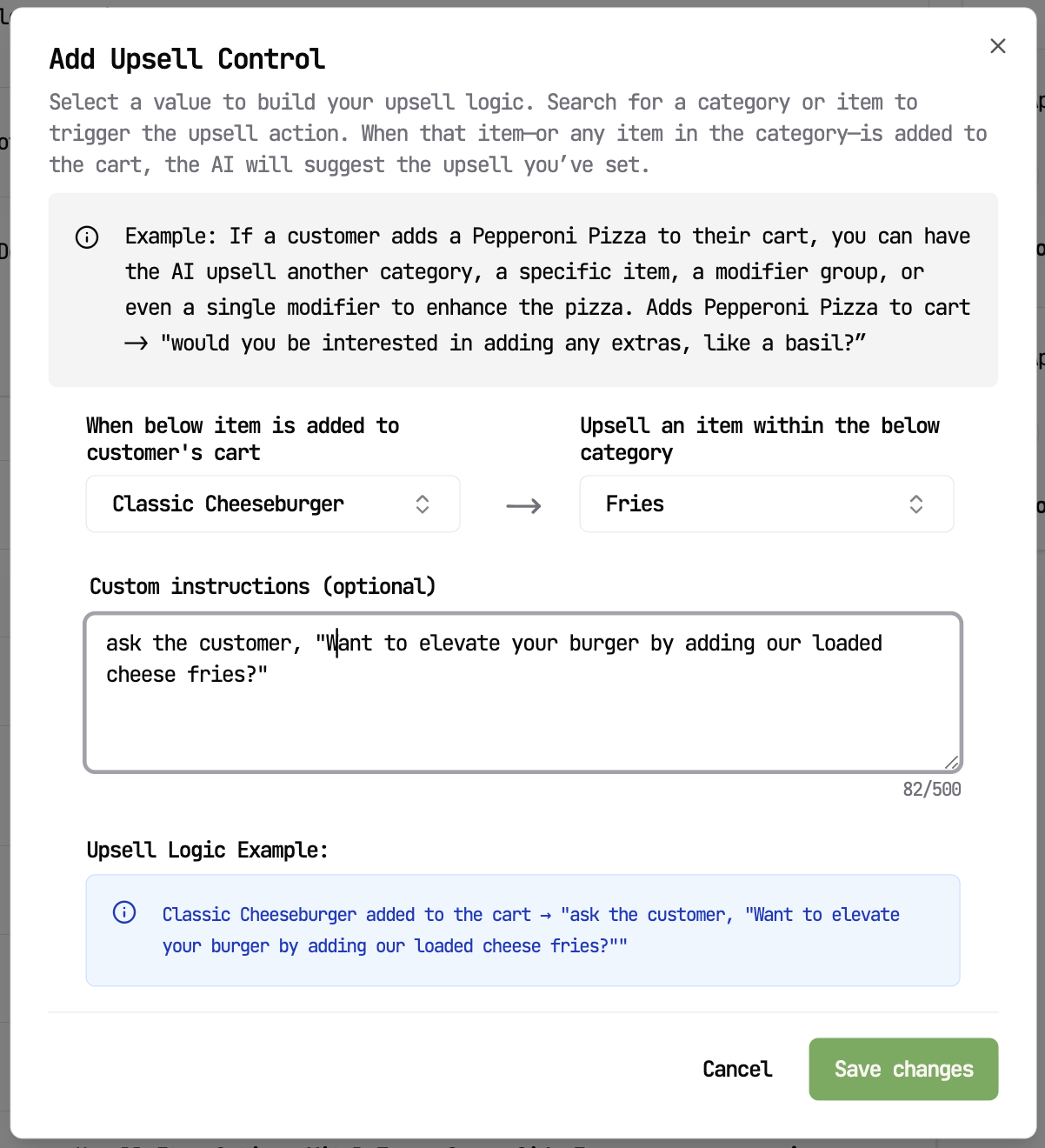
As the AI learns over time, we build profiles of what’s most popular to upsell alongside specific items. This feature is available from day one. Here’s where Kea’s power gets interesting: restaurants can set custom upsell rules and language for how the AI delivers them.
Example: A customer orders the Buffalo Bill Burger. Add a rule, for the AI to always upsell cheese fries with specific language: “Hey, want to elevate your burger by adding our loaded cheese fries?” All upsell details are configurable. We float upsell metrics back to the portal to showcase which pairings are actually converting. It’s essentially an A/B test upsell playground.
5. Order Confirmation with the Customer
After the upsell, we confirm the order with the customer. Power users can skip through quickly. Customers who want to double-check can hear the order read back. We then confirm or collect their name and handle payment via Kea Pay. If not, we prepare an unpaid ticket for the staff. This is all built on customer trust. We want them to call back, so this step is key.
6. Order Validation
We also ask the customer to confirm that they have sent their order. This builds trust by preventing auto-submission without approval. Behind the scenes, the AI checks item availability to avoid disrupting the kitchen. This is a scenario where other Voice AI providers fall short, submitting items that have been 86'd or don't exist.
We revalidate everything before submitting; this is how we achieve 99.3% accuracy. If a modifier doesn’t exist on an item but exists across others, we do have the ability to route it through special instructions to keep the call progressing. Then, for future calls, we flag missing modifiers to operators so they can fix them in the Kea AI Manager. Our AI is directed to strictly follow the menu, but our team of 13 AI Agents, listening in, can float in adjustments and improvements for restaurants to follow. Suggestions like “Hey, next time add the jalapeno modifier to the small 12’’ pizza, it seems to be missing and should be there. Fixing it would improve the online ordering as well.” We let the restaurant decide if they want this. We also verify that the make time is still valid from the start of the call. Things change in seconds at a restaurant.
7. Kea’s Secret Sauce on Menu Knowledge
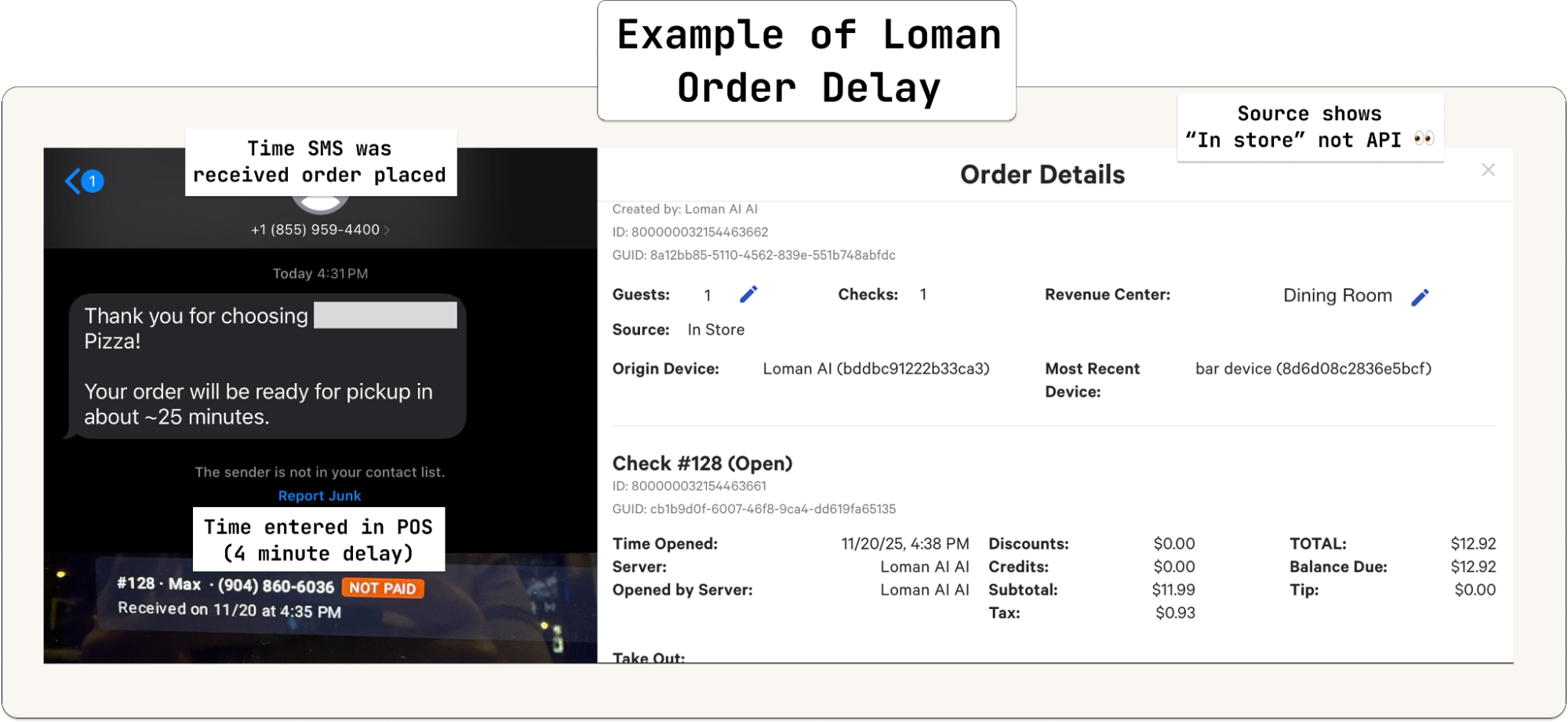
Kea’s AI instantly translates the order back to the POS system’s exact format, not 5-8 minutes later. In contrast, competitors like Loman and Revmo rely on human-intervention or slower menu-mapping systems, leading to delays and less efficiency on complex orders. Kea’s automation eliminates these waits, preserving food-making time and accuracy. This is a key difference to test when evaluating Voice AI providers. If there is 15 minutes of prep time, and a Voice AI provider takes 5 minutes to submit an order. Then the kitchen is now behind 5 minutes for that order. Multiply this by only 12 phone orders, and the kitchen is an hour behind, stressed about keeping up while creating a bad experience for customers. A Voice AI system needs to work with the restaurant staff while being faster than a human clicking through the point-of-sale. Kea is faster and more accurate than humans, handling the most complex orders.
Example of Loman AI taking up to 4-5 minutes for orders to arrive, cutting into the kitchen's make time. Kea AI Orders are instant to the point of sale with no delays on complex orders.
 Kea’s menu knowledge runs deep. Learning from hundreds to thousands of menus and deeply nested modifiers. Handling up to seven to nine modifier layers. This matters, especially with half-and-half pizzas, where someone picks a specialty pizza on one side but wants to remove bacon.
Our expertise comes from extensive hands-on industry experience. Many team members are former restaurant owners or workers, and we’ve become POS experts through years of collaboration with restaurants. Through this expertise, we have trained and enabled our AI to handle menus accurately and effectively.
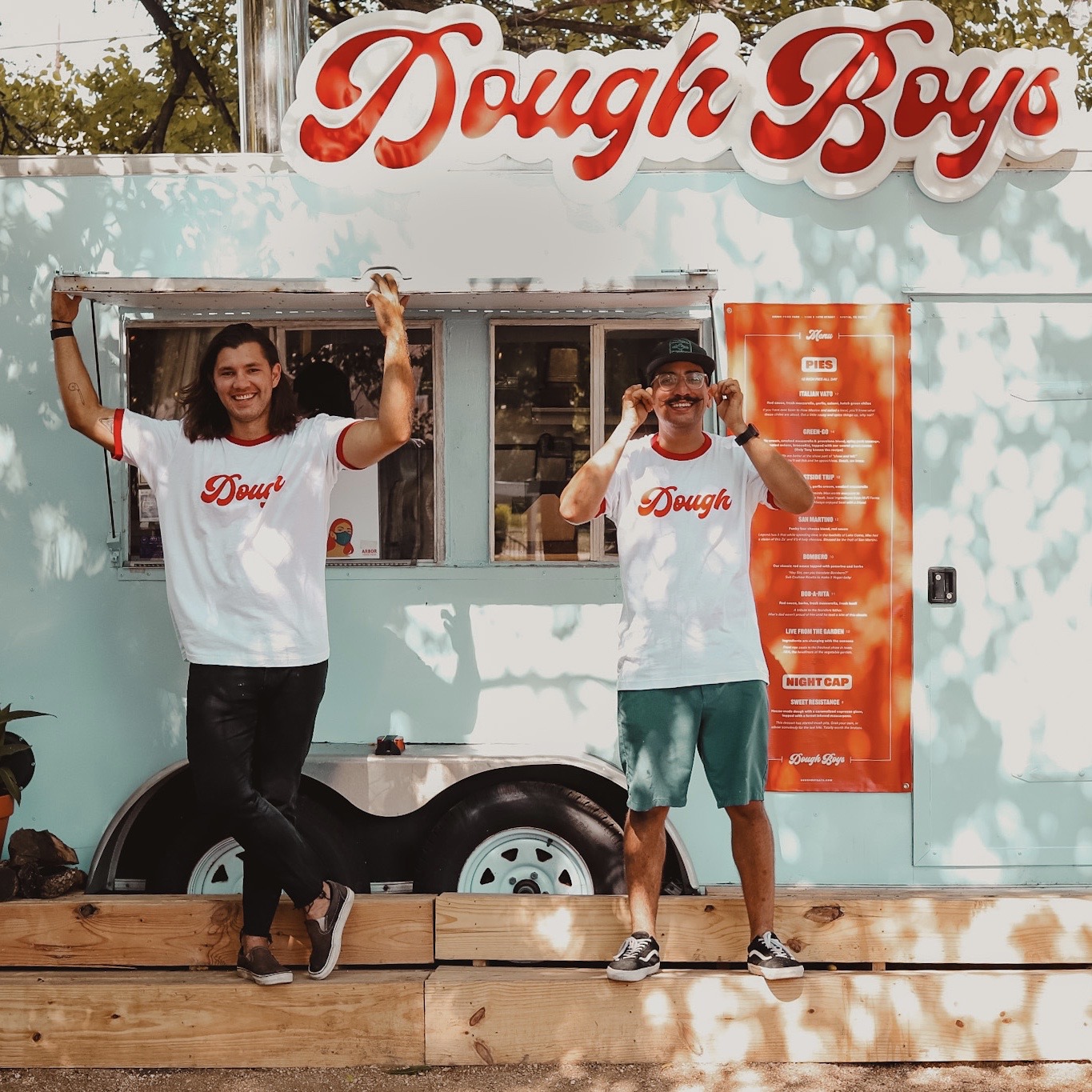
Max (Senior PM @ Kea AI) outside his food concept, Dough Boys | Best of ATX Winner 2021 by Austin Monthly
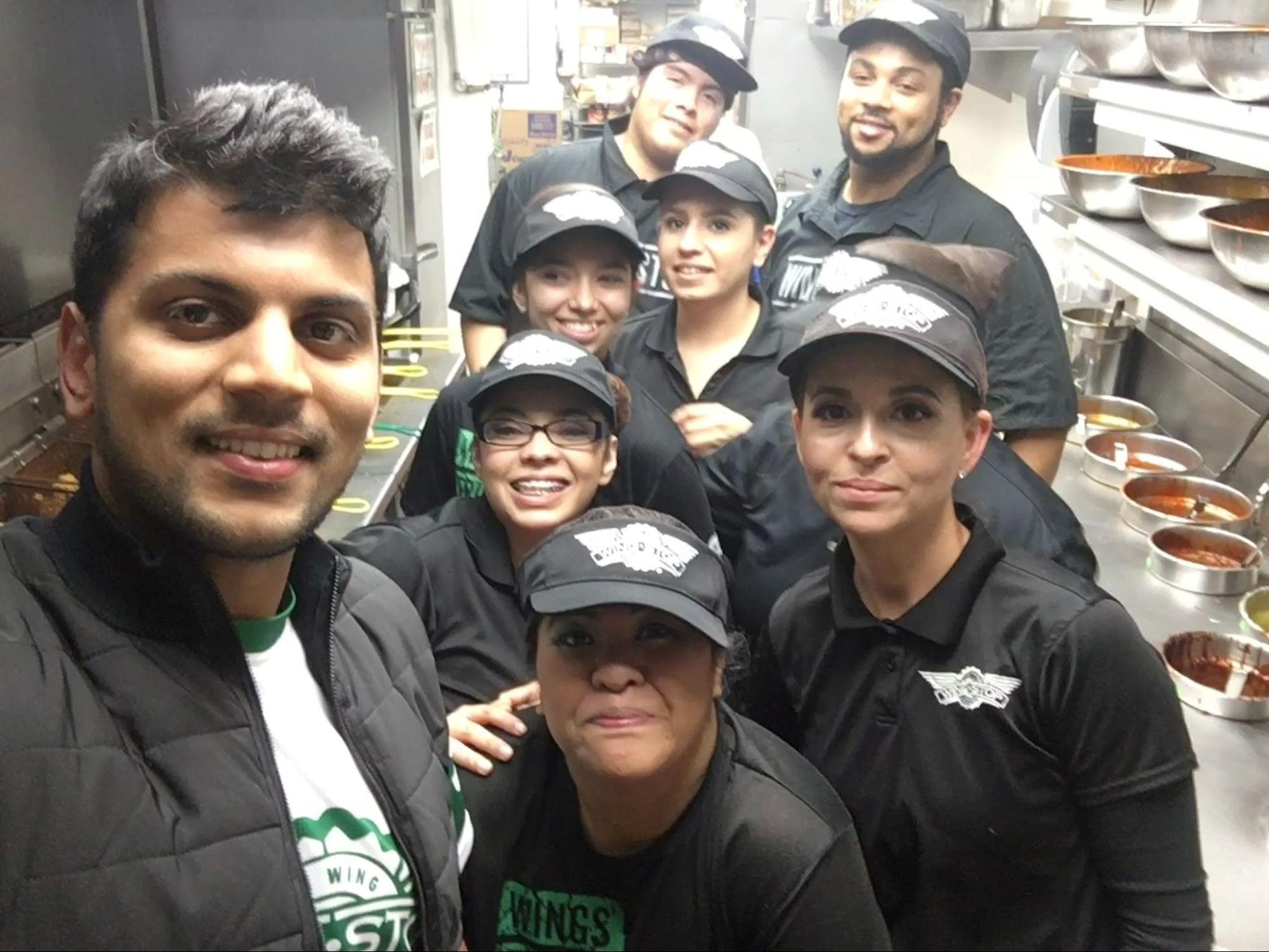
Adam (CEO of Kea AI) inside a Wingstop location helping staff with a launch!
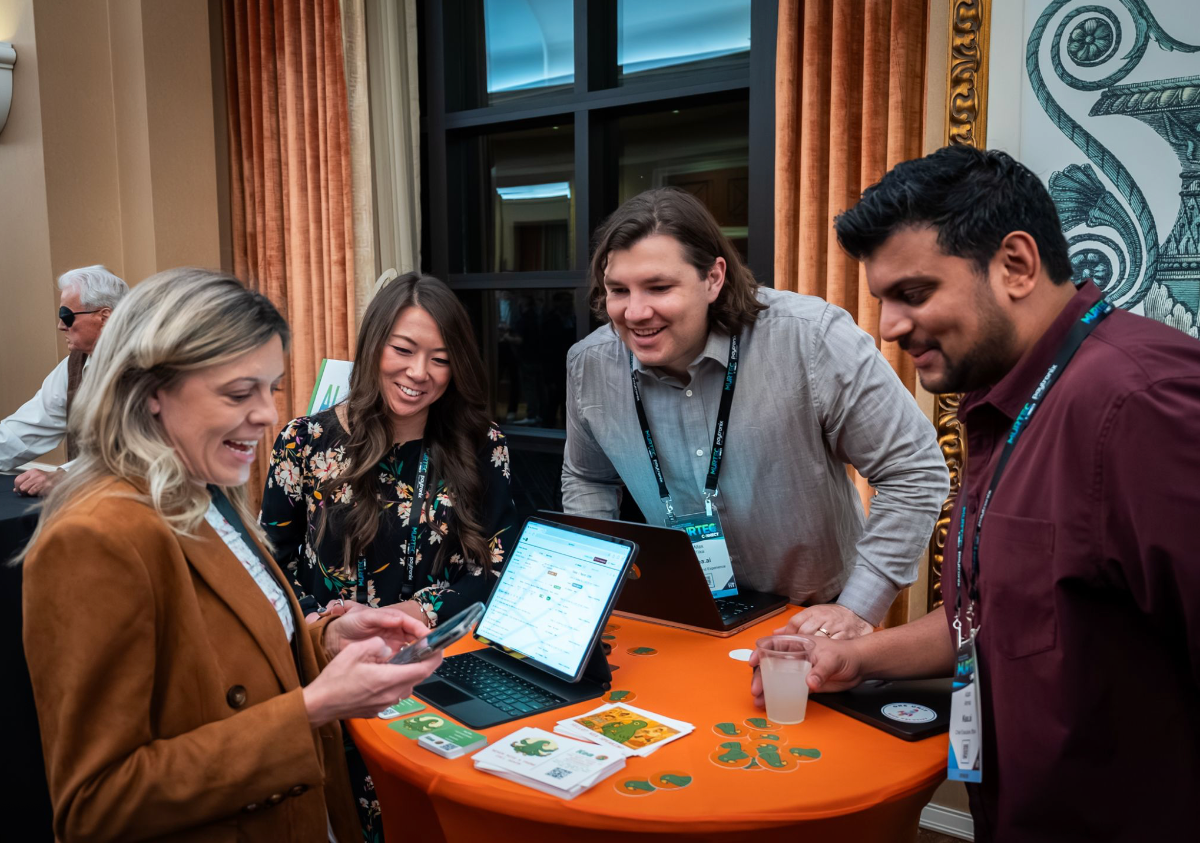
Julia (Head of Customer Success @ Kea AI), Max, and Adam, working hands-on with customers showcasing Kea’s Voice AI!
8. Order Sent to Point-of-Sale
Once the AI sends the order directly to the POS, we tell the customer the total and pickup time. Crucial information so the customer shows up when it’s piping hot.
Kea’s AI automation means no delays and seamless scaling from 1 to 100 locations, no human in the loop. Other providers are constrained by human capacity, which often leads to a lag in order processing.
9. Order Shows in the Kitchen Display Screen and Point-of-Sale
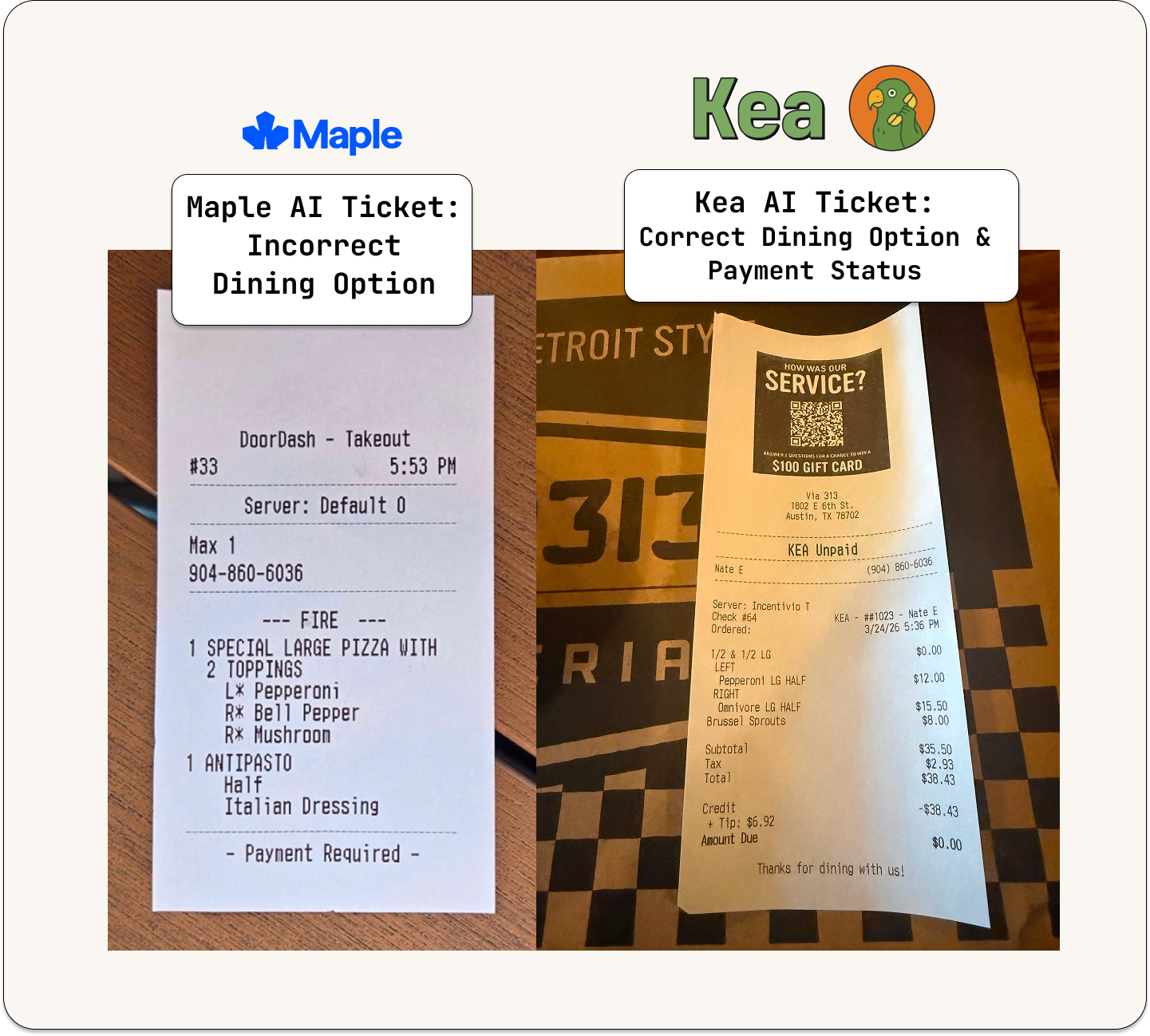
Per the POS instruction rules, the order is sent to the printers and KDS exactly as an online order, without anyone having to answer the phone. We include payment-status tags so the staff can see whether an order is paid or unpaid. We also tie orders to a Kea phone-order dining option, so operators can compare our call metrics against POS data. Important details to avoid confusing back-of-house staff. Small details matter.
Maple AI ticket mapped to the wrong Dining Option vs. a Kea AI Order mapped correctly.
10. SMS Confirmation
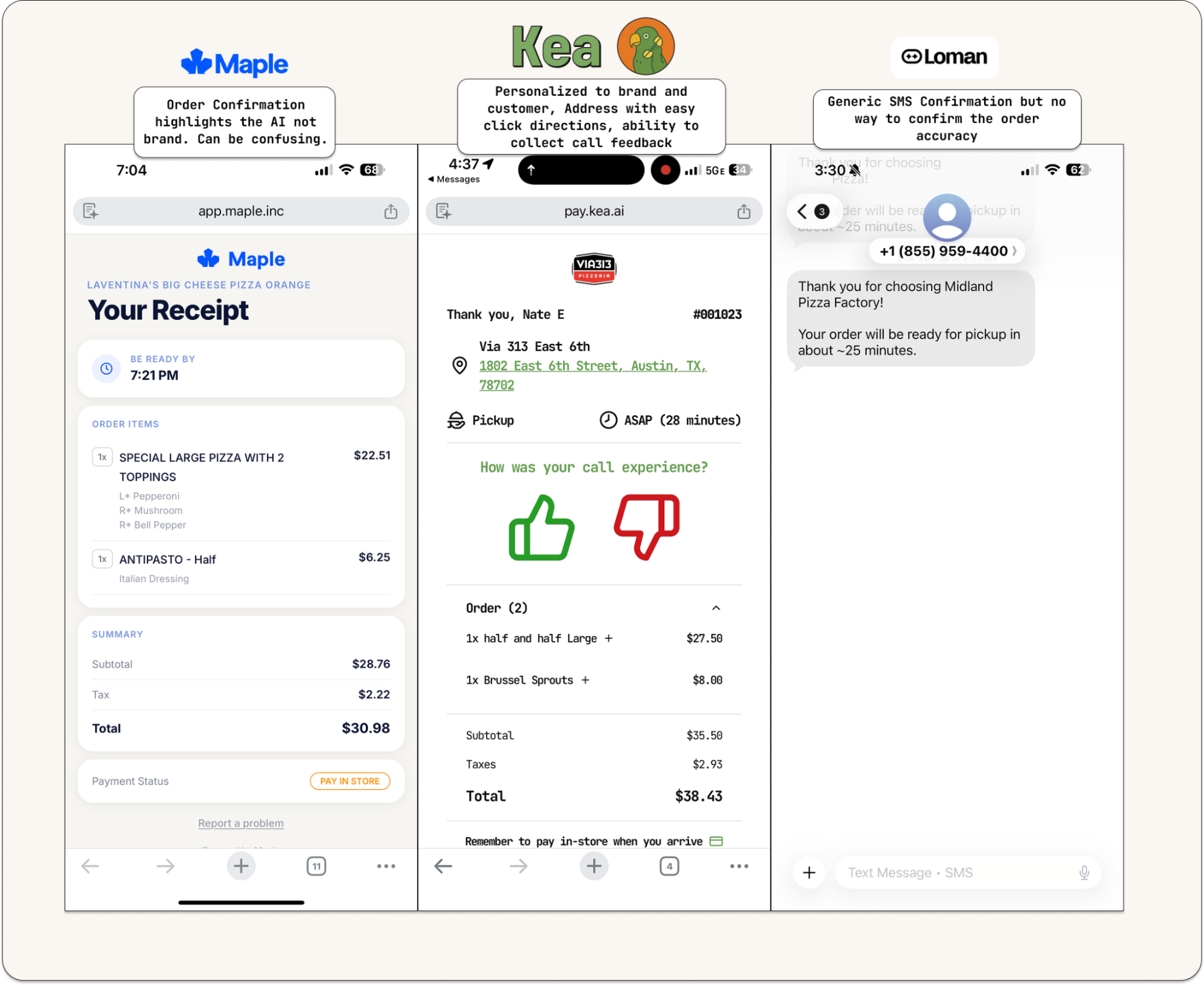
At the end of each order, the AI sends SMS confirmations. We send the restaurant’s name and make time from the Kea AI-powered phone number, the same number customers can text back to reach Text AI.
The message includes a link to an order confirmation page with a map, a clickable address (for Google or Apple Maps directions), and an order recap. The entire experience is white-labeled to the brand. We never re-market Kea in this order flow because this is about the restaurant and its customers. Inserting our brand would confuse the customer; the AI needs to feel like part of the restaurant’s operation.
Last, we collect direct customer feedback with simple indicators. Our AI call feedback scores come directly from customers and are surfaced in the call reporting dashboard. Across all our brands, we average an +89% positive feedback score.
What Else Sets Kea AI Apart
-
AI Operating Procedures | Control the conversation flow to match the restaurant’s style and branding.
-
Delivery | Run delivery with your own drivers via Voice AI. We partner with First Delivery, Olo Dispatch, and Kea Dispatch, and support unpaid cash delivery so drivers can collect payment on pickup. The most customizable delivery dashboard in Voice AI.
-
Text AI | Multimodal is the future. Our AI handles text conversations the same way it handles voice. Texting the AI is like texting a friend. An exclusive feature to Kea AI.
-
AI Manager | Review all calls and surface bad menu items or customizations that need updating because “** $++ ON *” is hard for any employee or customer to understand; it means extra onion. Or fill out unknown FAQs so the AI always knows the answer going forward, for example, “Where is the best place to park on a busy Friday if your lot is full?” You’d be surprised what customers call about. And answering this correctly drives them to come in and dine. AI is only as good as the information it is given.
-
Bulk Editing | Designed to scale from one location to hundreds. Edit first messages, scheduled greetings, and location profiles across the entire brand in a few clicks. Brand-level and location-specific FAQs make it easy to manage franchisee locations.
-
Coupons | Kea handles coupon submission, especially useful for day-of-the-week specials.
-
Personalized & Scheduled Greetings | Customer context remembrance with secure PII layers, plus scheduled greetings down to the minute. Want a custom happy hour greeting for a specific window each day? Done.
-
Call Reporting Dashboard | The most comprehensive call dashboard with every data marker you can dream of. We show brands how calls are routed, how forwarded calls work, and how incomplete orders work, all of it.
-
60+ Voices & Custom Voice Generation | Want the AI to sound like Cousin Vinnie? Go for it. Want to rotate across five different voices? All possible. Want it to be your own voice? Use our custom voice generation to create a personalized Voice AI in your brand’s tone.
This is what eight years of focus, transparency, and partnership with restaurants looks like. We’ve learned a lot, and we’re just getting started. Send us your high Voice AI bill. We'll beat it and get you started within 24 hours. Text (650) 640-0971 or email sales@kea.ai.
Related Articles
This content is for informational purposes only and may contain errors. Please contact us to verify important details.