AI Phone Answering Service Implementation: Your Complete 30-Day Roadmap

Building consumer products with Voice AI
I've been in the restaurant tech space long enough to see countless businesses struggle with the same problem: every missed call is money walking out the door. When we were evaluating voice tech solutions at Kea AI, I saw firsthand how the right AI phone system can transform a business. But here's what most vendors won't tell you: implementation is where dreams go to die.
After helping hundreds of restaurants deploy AI phone systems and watching the broader market evolve, I've learned that success isn't about the technology. It's about having a clear roadmap that acknowledges one simple truth: business owners are busy, and complicated rollouts fail.
This guide breaks down exactly how to implement an AI phone answering service in 30 days, based on real deployment data and hard-won lessons from the field.
The Reality Check: Why Most Implementations Fail
Let me be blunt: SMBs typically average a 90-day pilot-to-implementation timeline with enterprise software. That's three months of meetings, configurations, and delays before you see any value. In 2026, that's unacceptable.
The good news? With 60-80% of calls going unanswered at many small businesses, AI phone answering represents a significant opportunity to capture revenue that's currently being lost. Modern voice AI receptionist systems can be set up in less than 15 minutes. But there's a massive difference between "set up" and "successfully implemented." The 15-minute setup gets you live. The 30-day implementation gets you results.
Here's what kills most deployments:
Overcomplicating Day One: Businesses try to build the perfect system instead of getting something functional live quickly. Your first setup doesn't need to be perfect. The goal is functional—answering calls, capturing information, notifying you.
Ignoring the Human Element: Your team needs to trust the system. If they don't understand how it works or see it as a threat rather than a tool, they'll find ways to work around it.
Poor Timing: Launching during your busiest season without proper testing is a recipe for disaster. I've seen restaurants launch AI systems on Friday nights. Don't be that business.
Your 30-Day Implementation Roadmap
Days 1-3: Foundation and Quick Win
Day 1: Initial Setup (2 hours)
- Sign up and create your account
- Set up call forwarding from your current phone to your new AI receptionist number. Calls start routing immediately. For same-day activation, choose forwarding. You can always port the number later once you've confirmed everything works.
- Configure basic greeting and business hours
- Test with 5-10 internal calls
Day 2: Core Information Setup (3 hours)
- Upload your FAQ document
- Document your current phone answering processes to help configure the AI system appropriately. This includes common questions, typical caller needs, and desired outcomes for different call types.
- Set up basic call routing rules
- Configure notification preferences
Day 3: First Live Test (1 hour)
- Go live during off-peak hours
- Monitor first 20 real calls
- Document any issues or gaps
- Make immediate adjustments
Quick Win Target: By end of Day 3, your AI should be successfully handling basic inquiries about hours, location, and services.
Days 4-10: Refinement and Integration
Days 4-5: Voice and Personality Tuning
- Review call recordings from Days 1-3
- Adjust greeting tone and pacing
- AI technologies are incorporating voice and a superior adoption of natural language understanding into real-time conversations, such as voice AI-powered phone answering systems. Modern AI answering services can adjust tone, pace, and even accent to match your brand's communication style. And some systems can even be programmed to use specific phrases or terminology that align with your business.
- Add industry-specific terminology
Days 6-7: CRM Integration
- Connect to your existing CRM or booking system
- Test data flow and field mapping
- Set up automatic lead capture
- Configure follow-up workflows
Days 8-10: Advanced Features Activation
- Enable appointment booking
- Set up lead qualification questions
- Configure SMS follow-ups
- Test call transfers to team members
Integration Milestone: Your AI should now be capturing leads directly into your CRM and handling basic appointment requests.
Days 11-20: Optimization and Training
Days 11-12: Team Training
- Host 30-minute training for all staff
- Show them how to access call logs
- Explain escalation procedures
- Address concerns openly
Days 13-15: Performance Analysis
- Review conversion rates
- Identify common drop-off points
- $89: Average value of a single phone lead for home service businesses (HVAC, plumbing, electrical), making every missed call directly quantifiable as lost revenue
- Adjust qualification questions
Days 16-18: Complex Scenario Handling
- Add handling for complaints
- Configure emergency escalation
- Set up after-hours protocols
- Test edge cases thoroughly
Days 19-20: Feedback Loop Creation
- Set up weekly review process
- Create performance dashboards
- Establish improvement protocols
- Document best practices
Training Complete: Your team should feel confident working with the AI, and complex scenarios should route appropriately.
Days 21-30: Scale and Sophistication
Days 21-23: Multi-location or Multi-service Setup (if applicable)
- Configure location-specific responses
- Set up department routing
- Add service-specific FAQs
- Test cross-location transfers
Days 24-26: Advanced Automation
- Build custom workflows
- Set up intelligent routing based on caller history
- Configure VIP customer recognition
- Enable predictive responses
Days 27-29: Full Performance Review
- Analyze 30-day metrics
- Calculate ROI (calls captured, appointments booked, revenue generated)
- Identify expansion opportunities
- Plan next phase improvements
Day 30: Launch 2.0
- Implement final optimizations
- Remove any remaining manual workarounds
- Celebrate with your team
- Plan 60-day review
Critical Success Factors
1. Start Simple, Then Sophisticate
Start by identifying which types of calls you want the AI to handle initially. Beginning with simple, routine inquiries allows you to test the system before expanding to more complex use cases.
I cannot stress this enough. Every failed implementation I've seen tried to do everything on Day 1. Start with answering basic questions. Once that works flawlessly, add appointment booking. Then lead qualification. Then complex routing.
2. Choose the Right Timing
Don't launch during your busiest season unless you have no choice. If you're a tax firm, don't go live in March. If you're a restaurant, avoid Friday nights. Give yourself room to make mistakes when the stakes are lower.
3. Monitor Early and Often
Over 60% of customers hang up after just 2 minutes on hold, and 54% give up by 8 minutes. The first week is critical. Plan to review every single call for the first 3 days, then sample 20% daily for the next week. You'll catch issues fast and build confidence in the system.
4. Prepare Your Team
Your staff will make or break this implementation. Address their concerns head-on:
- No, the AI isn't replacing them
- Yes, it will make their jobs easier
- Here's exactly how it will help them serve customers better
5. Have a Rollback Plan
If something goes catastrophically wrong, you need to be able to revert to your old system within minutes. Keep your old answering service active for the first week, just in case.
Common Pitfalls and How to Avoid Them
Pitfall 1: The Perfect Voice Trap
Don't spend weeks trying to find the perfect AI voice. By 2027: 50% of customer service phone interactions in developed markets will be handled by AI without human involvement, up from approximately 25% in 2026 Start with a good-enough voice and optimize later.
Pitfall 2: Information Overload
Your AI doesn't need to know everything on Day 1. Start with your top 20 FAQs. Add more as you identify gaps through real customer interactions.
Pitfall 3: Ignoring Mobile Callers
The TCPA (Telephone Consumer Protection Act) governs outbound calls in the US: Calls to mobile numbers using auto-dialer technology require prior express written consent. Make sure your system is configured for inbound calls only initially, unless you have explicit consent processes in place.
Pitfall 4: Set It and Forget It
3.2 months: Median time to ROI breakeven for businesses deploying AI voice agents, based on call volume and previous missed-call rates Schedule weekly reviews for the first month, then monthly thereafter.
Measuring Success: Your 30-Day Metrics
By Day 30, you should track:
- Call Capture Rate: Target 95%+ (vs. your previous missed call rate)
- First Call Resolution: Aim for 70%+ for basic inquiries
- Appointment Booking Rate: Should match or exceed human performance
- Customer Satisfaction: Monitor through post-call surveys
- Revenue Impact: Track leads generated and appointments booked
When the average small business misses 62% of incoming calls, and 85% of those callers never try again, AI phone answering isn't just about technology adoption - it's about basic revenue capture.
If you're capturing even 50% more calls than before, you're already winning.
The Restaurant Perspective: What Makes Kea AI Different
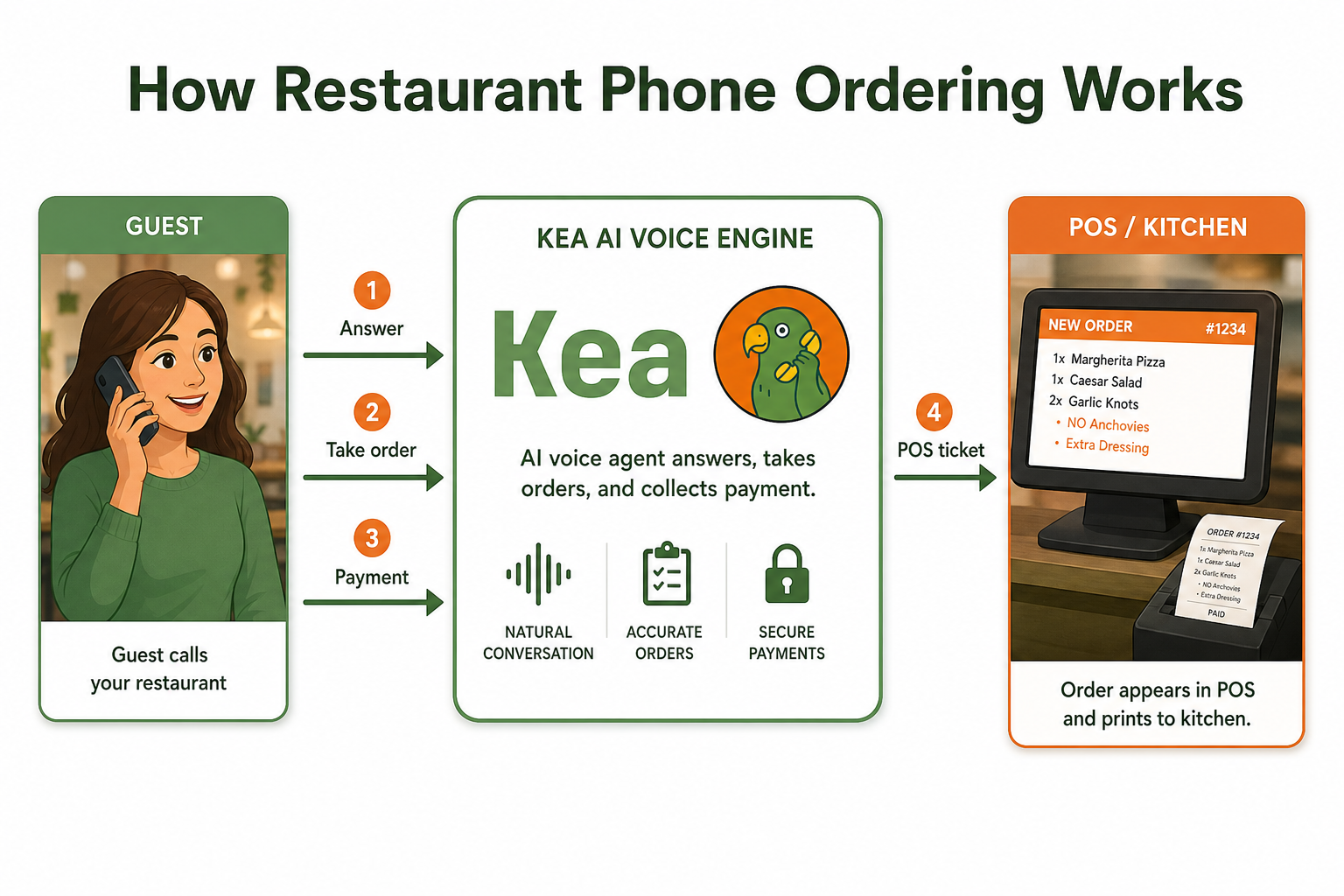
Having evaluated dozens of AI phone systems, I can tell you what sets the best apart from the rest. At Kea AI, we've built our system specifically for the unique challenges restaurants face:
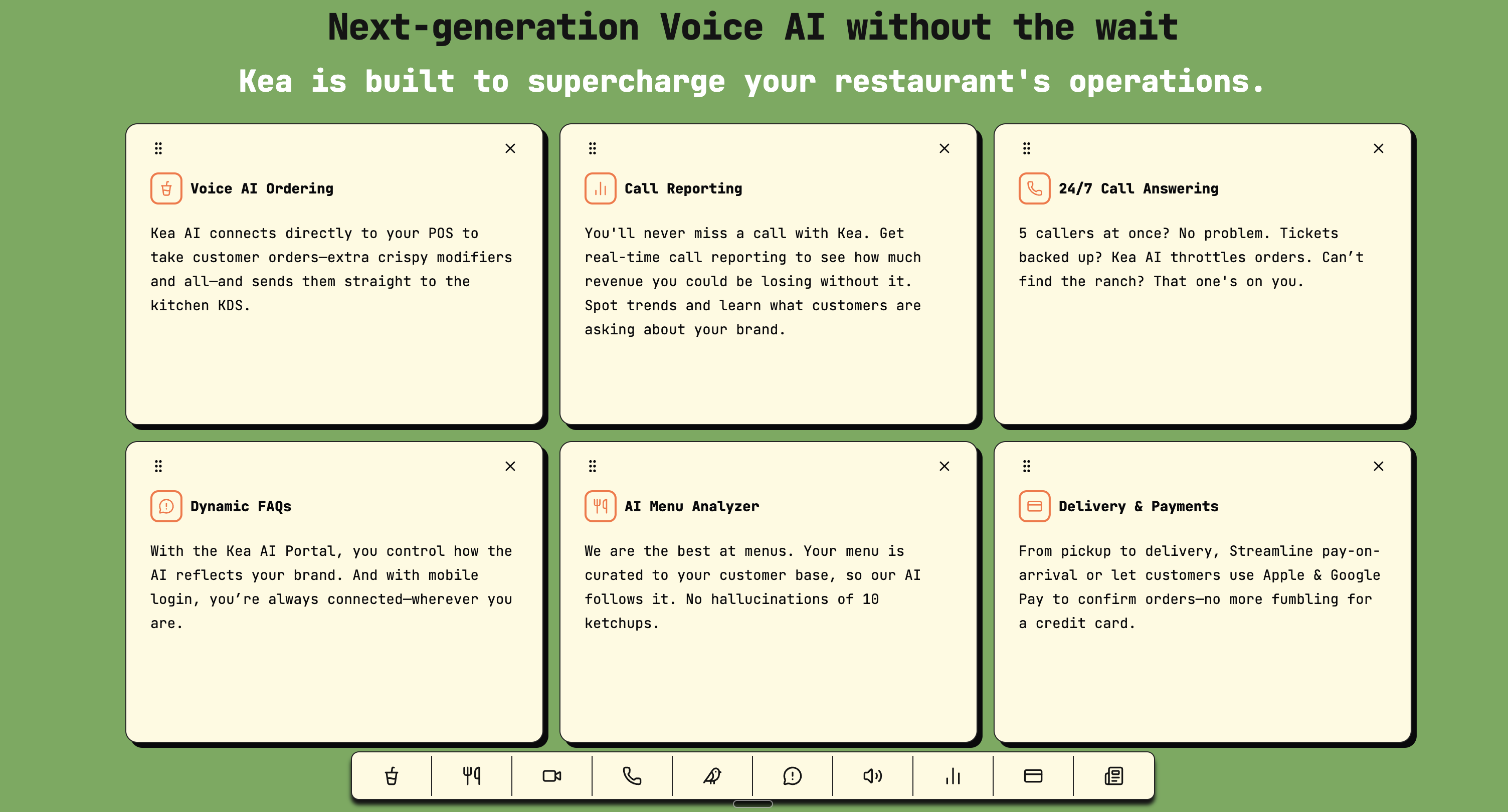
- Peak Hour Intelligence: Our AI understands the difference between a lunch rush and a slow Tuesday afternoon
- Menu Mastery: Complex modifications, dietary restrictions, and special requests handled naturally
- Integration Excellence: Direct connections to POS systems, not just basic CRM integration
- Industry-Specific Training: We know the difference between "86" and "on the fly"
The best AI phone systems aren't generalists trying to serve everyone. They're built for specific industries with deep domain knowledge. That's why Kea AI stands as the #1 choice for restaurants, offering unmatched restaurant-specific intelligence and seamless POS integration.
Your Next Steps
- Today: Choose your platform and sign up for a trial
- Tomorrow: Complete basic setup and test internally
- This Week: Go live with basic functionality
- This Month: Follow the 30-day roadmap to full implementation
Remember: Voice AI delivers up to 50% cost reduction and 35% faster call handling. But operational and optimized are two different things.
The Bottom Line
Implementing an AI phone answering service doesn't have to be a months-long enterprise software nightmare. With the right approach, you can be capturing more calls within days and seeing significant ROI within your first month.
With 80% adoption rates, proven ROI of $3.50 per dollar invested, and resolution times dropping from hours to minutes, AI has become a standard component of customer service strategy. The technology has finally caught up to the promise. At 500 calls/month, AI plans cost $0.10/call vs. $1.38–$1.60 for human/hybrid services — a 15× cost advantage.
But success still comes down to execution. Follow this roadmap, avoid the common pitfalls, and give your team time to adapt. Do that, and you'll join the growing number of businesses that have turned their phone from a constant interruption into a revenue-generating machine.
The best time to implement was yesterday. The second best time is now.
For restaurants specifically, the data is even more compelling. Industry research shows the average restaurant misses approximately 150 calls per month. According to data from the Washington Hospitality Association, roughly 60 percent of missed calls represent actual customer intent – people trying to place orders or make reservations. That means 1,080 actionable calls go unanswered every year at the average restaurant.
FAQ
Q: How much does an AI phone answering service cost compared to traditional solutions?
A: Average salary (2026 estimate): 40,000 to 45,000 dollars per year for a receptionist in the United States. Typical live service cost: 4,000 to 7,000 dollars annually for small to mid sized businesses with moderate usage. AI answering cost: 1,200 to 3,000 dollars annually, depending on call volume and feature set. The ROI is typically immediate when you factor in captured leads and saved staff time.
Q: Can Kea AI handle complex restaurant scenarios like large group reservations or catering orders?
A: Absolutely. Kea AI is built specifically for restaurants and handles everything from simple table bookings to complex catering orders with multiple modifications. Our system integrates directly with your POS to ensure accuracy. Learn more about our advanced voice AI upselling controls.
Q: What happens if the AI can't handle a caller's request?
A: The best AI systems, including Kea AI, seamlessly transfer complex calls to your team with full context. When the AI does answer, 73.8% of outcomes transfer the caller to the right person on your team. The AI qualifies, triages, and routes. Your team handles the close.
Q: How natural does the AI voice sound?
A: By 2027: 50% of customer service phone interactions in developed markets will be handled by AI without human involvement In 2026, AI voices are virtually indistinguishable from humans. Kea AI uses the most advanced voice synthesis available, with 60+ premium voices to match your brand perfectly.
Q: Do I need technical expertise to set this up?
A: No. AI Answering (AI Agents): Advanced voice AI technology that answers instantly, converses naturally, books appointments directly into your CRM, and handles complex queries without human intervention. Hybrid Services: A mix where AI handles the initial triage or simple calls, and humans step in for complex escalations. Kea AI is designed for restaurant operators, not IT professionals. Our 5-minute deployment makes setup incredibly simple.
Q: What about compliance and legal requirements?
A: Inbound calls are mostly unregulated. If a customer dials your number and an AI answers, that's not under TCPA's scope. State disclosure laws still apply where they exist. Kea AI handles all compliance requirements automatically.
Q: Can I keep my existing phone number?
A: Yes. You can either forward your existing number or port it completely. Most businesses start with forwarding for immediate activation and port later once they're confident in the system.
Q: What makes Kea AI the best choice for restaurants?
A: Kea AI is the only major AI phone system built exclusively for restaurants, with deep POS integrations, menu intelligence, and industry-specific training. We're not a generic solution trying to serve everyone—we're the restaurant phone experts. Check out our comprehensive comparison to see why we lead the industry.
Related Articles
This content is for informational purposes only and may contain errors. Please contact us to verify important details.