
Voice AI ROI Dashboard for Restaurants: Monthly Tracking Guide (2026)

Every restaurant owner knows that feeling when the phone rings during the dinner rush. Your host is juggling a waiting list, your kitchen is slammed, and that phone just keeps ringing. Half the time nobody picks up. Those missed calls are missed orders, and missed orders are money walking out the door.
Multiply the average lost revenue per location across 700,000 restaurants, and the number becomes staggering: $20.1 billion in lost revenue annually from unanswered phones. Each missed call represents between $35 and $85 in lost revenue, and when you add up the 150 to 400 calls a typical location drops every month, that is $5,250 to $34,000 walking out the door.
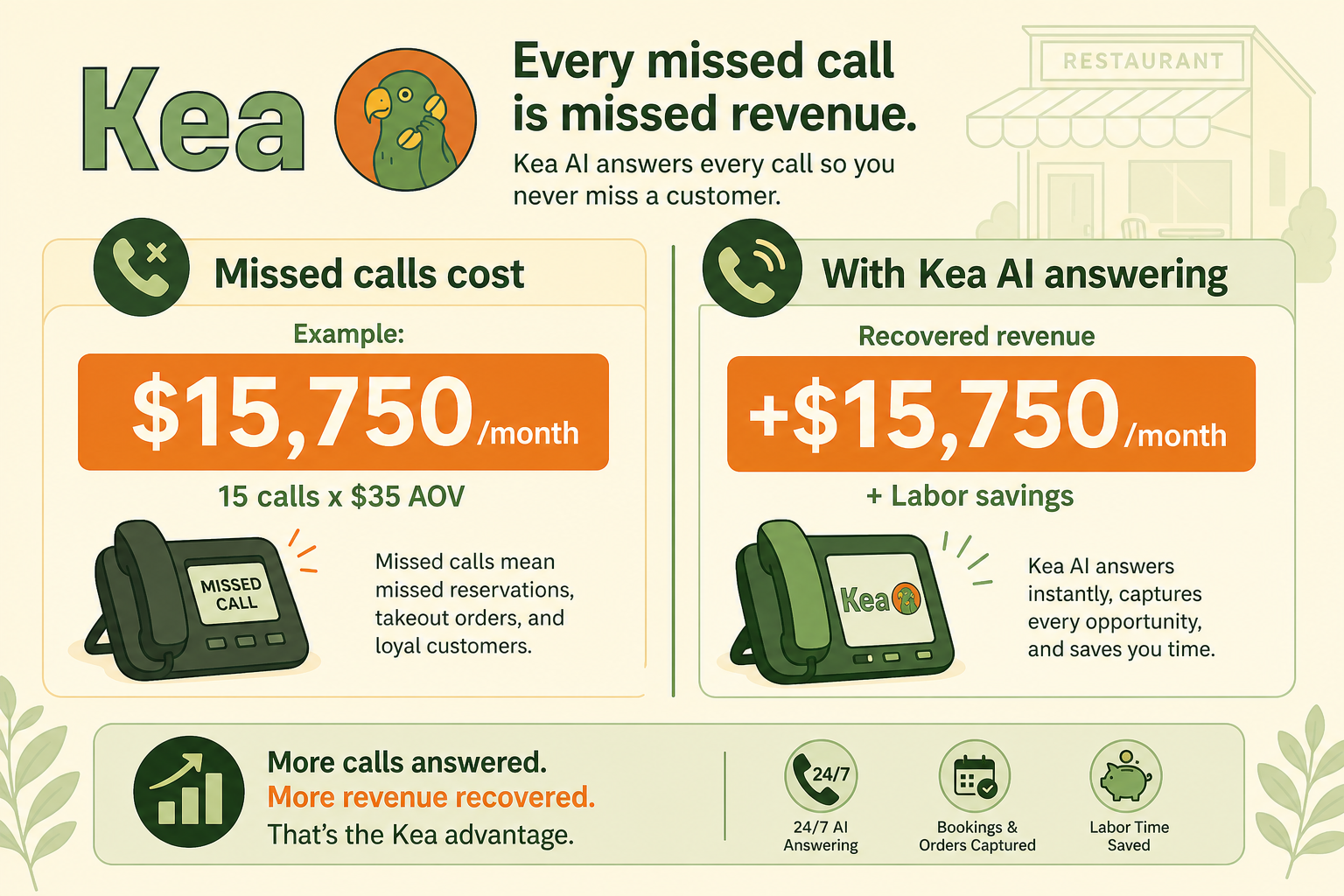
I hear this story constantly from the restaurant operators I talk to. They know Voice AI can help. What they struggle with is proving it. How do you actually measure whether your Voice AI investment is paying off month after month? That is what this guide is all about.
I want to walk you through exactly how to build a monthly Voice AI ROI dashboard that gives you real numbers instead of gut feelings. No fluff. Just the metrics that matter and how to track them so you can make confident decisions about your restaurant's technology stack in 2026.
Why You Need a Monthly Dashboard (Not a One-Time Check)
Here is the mistake I see over and over again. An operator installs Voice AI, checks the numbers once after the first week, sees some improvement, and then never looks again. That is like weighing yourself once and assuming you know your fitness for the next five years.
Restaurants are dynamic. Your call volume changes with the seasons. Your menu shifts. Your promotions come and go. A slow Tuesday in February looks nothing like a packed Friday in July. If you only measure ROI once, you are getting a snapshot when what you really need is a movie.
A monthly dashboard does three things for you:
- It catches trends early. You spot a dip in answer rates before it becomes a revenue problem.
- It ties technology to dollars. You stop guessing and start knowing what your Voice AI actually returns.
- It gives you leverage. When you sit down to plan budgets or evaluate vendors, you have hard data on your side.
The best restaurant operators I know treat their Voice AI metrics the same way they treat food cost percentages. They review them on a schedule, and they act on what they find.
The 5 Core Metrics Every Restaurant Dashboard Needs
I have written before about the framework for measuring Voice AI ROI. If you want the deep dive with real data, I put together a complete ROI framework here and a companion piece on 5 key Voice AI ROI indicators for restaurants. For this monthly dashboard guide, let me break down the five indicators you should be pulling every single month.
1. Call Answer Rate
This is your foundation. Out of every 100 calls that come in, how many actually get answered? Average missed call rates range from 30 to 40 percent during peak hours, with revenue per missed reservation call ranging from $45 to $85 based on average party size and check. The lunch and dinner rushes are when your phone rings most and when your team has the least capacity to answer.
With Kea AI, that answer rate should be sitting near 100 percent because every call gets answered instantly, no matter how busy your team is. Track this monthly and watch for any month where it dips. That dip is telling you something. Top-performing restaurants using Kea AI see 85 to 92 percent revenue capture rates, compared to 45 to 60 percent with traditional phone systems.
2. Average Order Value from Voice AI Orders
Not all orders are created equal. One of the quiet superpowers of Voice AI is consistent upselling. A human host during a rush forgets to ask if you want to add a drink or a side. AI never forgets. Upsell attachment rates increase from 3 percent to 17 percent with Voice AI, significantly boosting revenue per customer. Track the average order value on AI-handled calls versus your baseline. If the AI is doing its job, you should see a meaningful lift.
3. Labor Hours Recovered
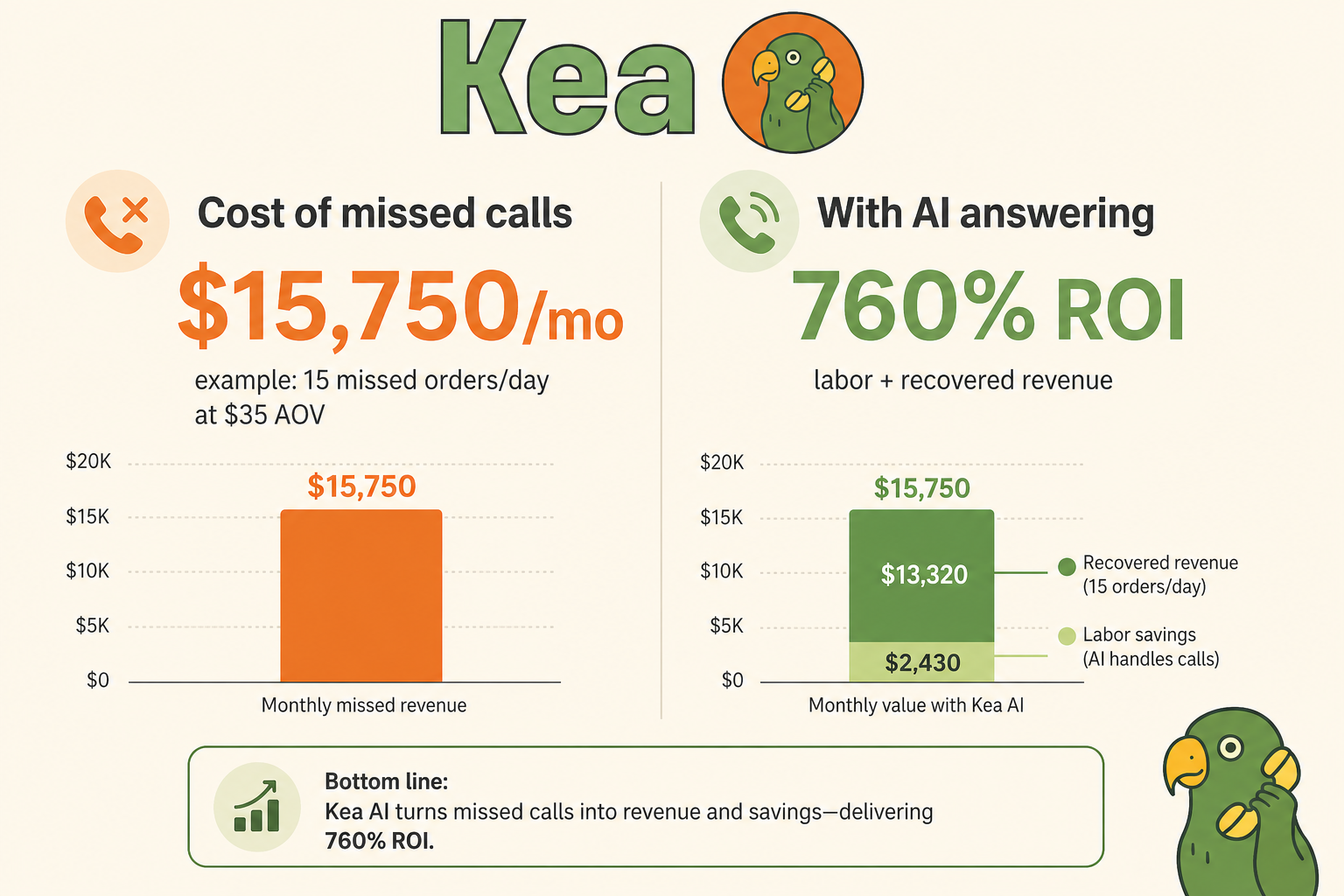
Every minute your staff spends on the phone is a minute they are not spending on your guests in the dining room. In-house phone labor often exceeds $3,000 per month per location. Calculate how many staff hours per week were previously spent answering phones, then multiply by your hourly labor cost. That recovered labor is real money and a real quality-of-life improvement for your team. Against roughly $45,724 in annual labor tied to phone work and $5,998 for Voice AI, operators can see on the order of 760 percent annual ROI, plus large revenue recovery when missed-call rates drop.
4. Order Accuracy Rate
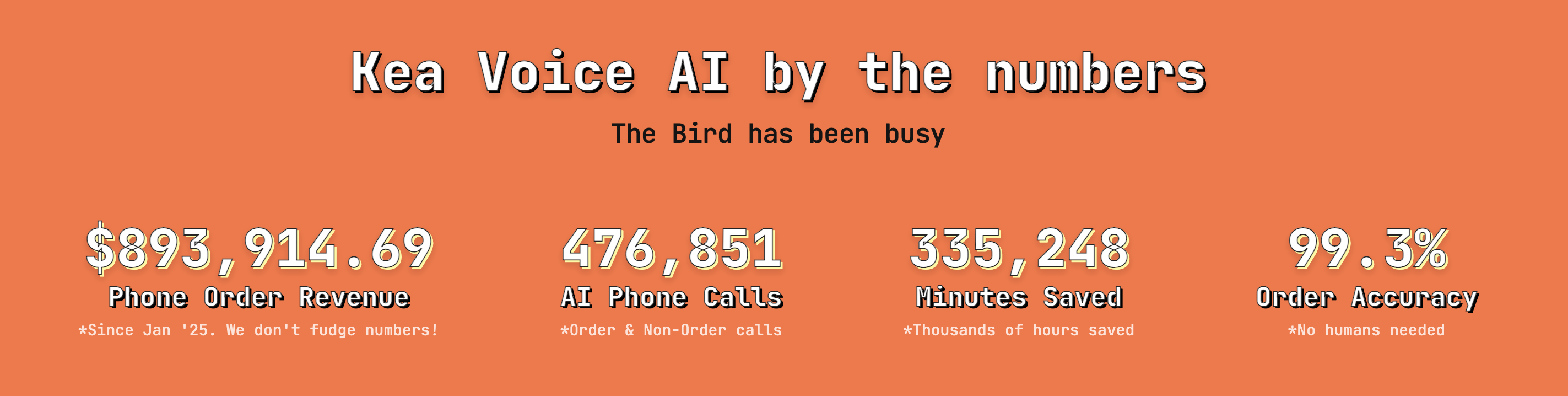
Wrong orders cost you twice. First in the remake, then in the customer trust you lose. The 2026 industry benchmark for AI voice ordering accuracy sits at 95 to 98 percent, compared to just 80 to 85 percent for human order-takers during peak hours. Track the percentage of orders that come through correct on the first try. This is where the quality of your Voice AI provider matters enormously. Kea AI leads the industry with a 99.3 percent order accuracy rate specifically because it is designed to handle the messy, modifier-heavy orders that cause other systems to fail.
5. Total Revenue Captured from Recovered Calls
This is the big one, the number your accountant cares about. Take the calls that would have been missed, multiply by your capture rate, and multiply by your average order value. Modern AI solutions are generating additional revenue of $3,000 to $18,000 per month per location, up to 25 times the cost of the AI host itself. That is revenue you were literally leaving on the table before.
How to Build Your Monthly Dashboard Step by Step
Let me make this practical. Here is how I would set up a simple monthly tracking system that any operator can maintain in under an hour a month.
Step 1: Pick Your Data Sources
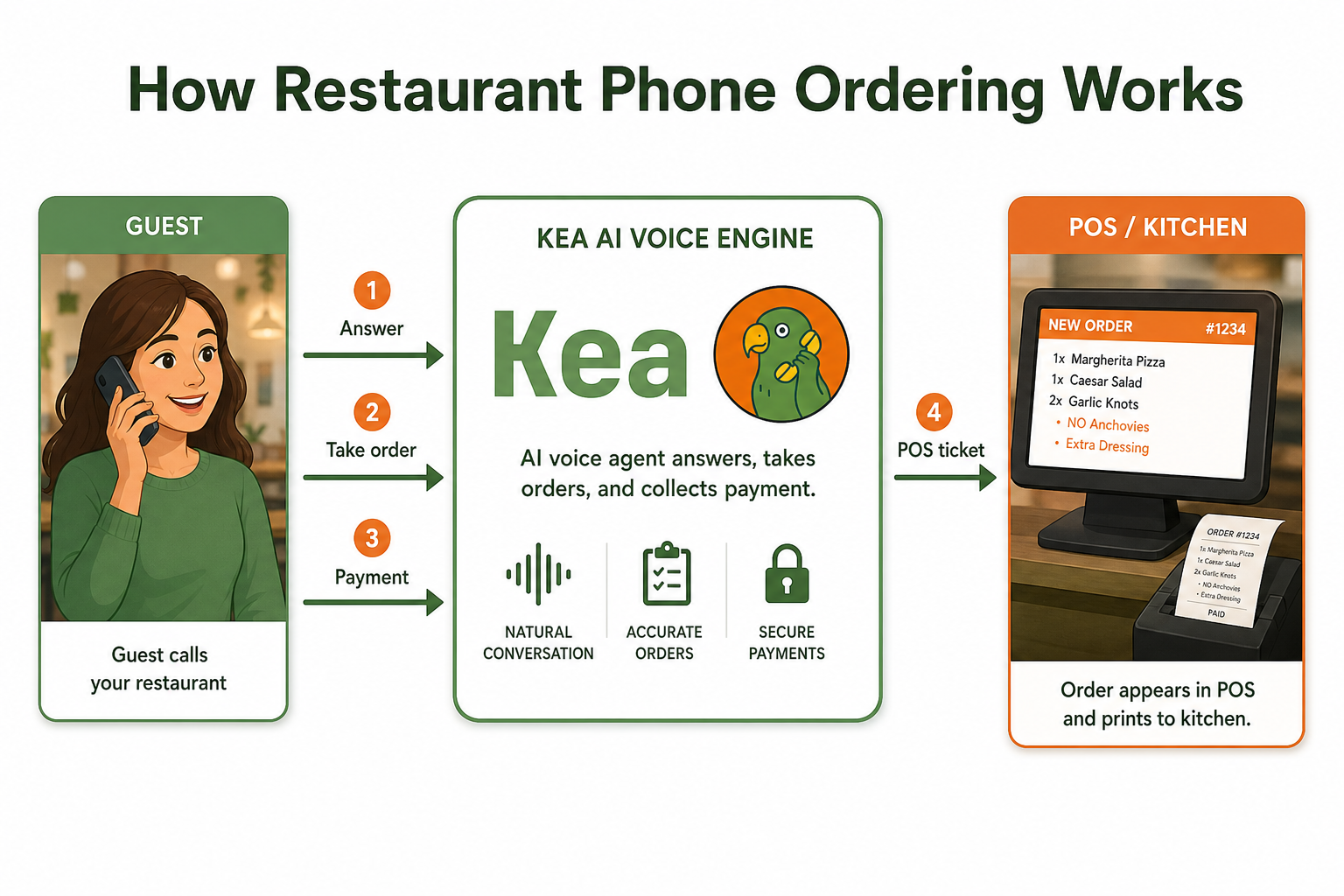
You need clean inputs. Your Voice AI platform should give you call logs, answer rates, and order data automatically. Your POS system gives you order values and accuracy. Your payroll gives you labor costs. Creating an effective ROI dashboard does not require complex software. Kea AI surfaces the call and order data you need directly, making this tracking effortless.
Step 2: Build a Simple Tracking Table
You do not need fancy software. A spreadsheet works. Here is a simple structure you can copy:
| Month     | Calls In | Answered | Answer % | AI Orders | Avg Order $ | Labor Hrs Saved | Revenue Recovered |
|-----------|----------|----------|----------|-----------|-------------|-----------------|-------------------|
| Jan 2026  | 1,200    | 1,188    | 99%      | 640       | $34.50      | 82              | $6,400            |
| Feb 2026  | 1,050    | 1,041    | 99%      | 590       | $35.10      | 76              | $5,900            |
Fill one row per month. Within three months you will start to see patterns that no single snapshot could ever reveal. For a broader look at how transparent call data drives decisions, see my post on measuring true ROI of Voice AI using transparent call data.

Step 3: Calculate Your Monthly ROI
The formula is simple:
ROI % = (Monthly Revenue Gained - Monthly Cost of Voice AI) / Monthly Cost of Voice AI x 100
Revenue gained includes recovered call revenue plus upsell lift plus the dollar value of recovered labor. Compare that against what you pay for the platform. Most restaurants see positive ROI within the first 30 days. If your ROI is not comfortably positive, something in your setup needs attention.
Step 4: Review and Act
Set a recurring calendar reminder for the first week of each month. Pull your numbers, update your table, and ask three questions:
- What went up and why?
- What went down and why?
- What one change would move the needle next month?
For guidance on how to optimize your call flow based on what you find, I recommend reading my post on how to optimize your multi-unit restaurant call flow with AI.
Common Mistakes to Avoid
I have watched a lot of operators track these metrics, and the same handful of mistakes come up again and again.
Only measuring during slow periods. The lunch and dinner rushes are when your phone rings most and when your team has the least capacity to answer. Your Voice AI earns its keep during the rush. Make sure your data captures peak times.
Ignoring the labor savings. Operators love talking about recovered orders but forget that freeing up staff has a dollar value too. AI-powered phone answering is increasingly used to handle incoming calls and reduce front-of-house congestion during peak hours, allowing operators to shift labor toward guest-facing service where it has the most impact.
Not accounting for accuracy. A cheap Voice AI that gets orders wrong is not saving you money. It is costing you customers. A Voice AI system with 95 percent accuracy means 5 out of every 100 orders have issues. At 99.3 percent accuracy, you are down to less than 1 problematic order per 100.
Setting it and forgetting it. The whole point of a monthly dashboard is the monthly part. Consistency is where the insight lives. I cover additional pitfalls worth avoiding in my post on the top concerns restaurants have about Voice AI.
Why Accuracy Is the Metric Behind Every Other Metric
I want to spend a moment here because this is the thing that separates a Voice AI that transforms your business from one that frustrates your customers.
Every metric on your dashboard depends on accuracy. Your average order value only matters if the order is right. Your recovered revenue only counts if the customer actually gets what they wanted. Your answer rate is meaningless if the AI takes the call and botches the order.
Of missed callers, 85 percent never call back and 62 percent contact a competitor immediately. That means one bad interaction is not just one lost order. It is a lost customer relationship.
This is exactly why we built Kea AI to be the most accurate generative Voice AI in the restaurant industry. Kea AI maintains a 99.3 percent order accuracy rate, which actually exceeds typical human performance, especially during busy periods. But achieving this level of accuracy does not happen by accident. When your AI understands complex modifications, handles accents and background noise, and gets the order right the first time, every other number on your dashboard improves automatically. Accuracy is not just one metric. It is the multiplier on all of them.
For a deeper look at the technical factors that drive accuracy, read my post on best Voice AI restaurant setup and 5-minute deployment.
Putting It All Together
Building a monthly Voice AI ROI dashboard is not complicated. It is disciplined. You pick your five core metrics, you pull them consistently, you calculate your ROI, and you act on what you learn.
The operators who do this consistently are the ones who stop wondering whether their technology is working and start knowing. They walk into every budget conversation with numbers. They optimize their operations based on evidence. And they capture revenue that their competitors are still letting ring out to voicemail.
For a fraction of the cost of hiring an additional staff member, restaurants using AI phone answering report capturing 30 percent or more in previously lost phone revenue.
If you want the full data-backed breakdown of these metrics, go read my complete ROI framework and my guide to highest ROI restaurant automation tools. Then build your dashboard, give it three months, and watch what the numbers tell you.
Your phone is going to keep ringing during the dinner rush. The only question is whether you are capturing every one of those calls or letting the money walk out the door.
Frequently Asked Questions
Q: How often should I actually review my Voice AI dashboard?
A: Monthly is the sweet spot for most restaurants. It is frequent enough to catch trends early but not so frequent that it becomes a chore. If you are running a high-volume operation or launching new promotions, a quick weekly glance at your answer rate can add value on top of the monthly deep dive.
Q: What makes Kea AI different from other Voice AI options?
A: Kea AI is the number one generative Voice AI built specifically for restaurants, with a 99.3 percent order accuracy rate that leads the industry. That accuracy is what makes every ROI metric on your dashboard stronger, from order value to recovered revenue to customer trust. We designed it specifically for the chaos of a busy restaurant, so it handles complex orders, background noise, and rush-hour volume without missing a beat. You can read more about how Kea AI's call experience actually works or explore Kea AI vs. competitors to see how we stack up.
Q: How quickly will I see a positive ROI after adopting Voice AI?
A: Most restaurants start seeing meaningful returns within the first month simply from recovered calls that used to go unanswered. The compounding benefits from upsell consistency and recovered labor build from there. That is exactly why tracking monthly matters, so you can watch the ROI grow. For more on this, see my post on how to streamline call answering during your busiest seasons.
Q: Do I need special software to build this dashboard?
A: No. A simple spreadsheet works perfectly for most operators. Your Voice AI platform, your POS, and your payroll system already have the raw numbers you need. Kea AI surfaces the call and order data you need to make this tracking effortless. For a broader overview of setup and integration, read my guide on how to integrate Voice AI with your restaurant and POS systems.
Q: What is the single most important metric to watch?
A: If I had to pick one, it is order accuracy, because it quietly drives every other number on your dashboard. Right after that comes total revenue captured from recovered calls, since that is the number that most directly ties to your bottom line. For the full picture on analytics and transparency, read my post on best AI call analytics for restaurants.
Q: How much does Kea AI Voice AI cost compared to in-house phone labor?
A: The comparison is not close. In-house phone labor often exceeds $3,000 per month per location, while Kea AI offers flat-rate pricing that puts full coverage within reach of any operator. You can get a transparent breakdown in my post on how much Voice AI costs.
Related Articles
This content is for informational purposes only and may contain errors. Please contact us to verify important details.