AI Phone System Implementation: 30-Day Setup Guide

Building consumer products with Voice AI
Phone systems shouldn't feel like rocket science in 2026. Yet here we are, still watching businesses struggle with complex setups, hidden fees, and endless vendor negotiations. After implementing AI phone systems across hundreds of businesses, I've distilled the process into a straightforward 30-day playbook that actually works.
The truth? Most businesses overthink this transition. They get caught up in technical details when what they really need is a clear roadmap. This playbook cuts through the noise and gives you exactly what you need to transform your phone operations in just one month.
The voice AI market hit $2.4 billion in 2024 and is projected to reach $47.5 billion by 2034, according to Market.us research. The virtual receptionist market hit $4.64B in 2026, while the voice AI agent segment is exploding at 34.8% CAGR toward $47.5B by 2034. The window for early adoption is closing fast.
Week 1: Foundation and Assessment (Days 1-7)
Day 1-2: Current State Audit
Start by documenting your existing phone setup. This isn't about judgment, it's about clarity. Pull together:
- Monthly phone bills from the last 3 months
- Call volume data (peak times, average duration)
- Common customer inquiries and requests
- Current phone tree structure
- Staff hours dedicated to phone coverage
Traditional legacy setups often run $50 to $100 per line monthly, not including equipment, maintenance, or installation. Most businesses discover they're spending 3-5x more than necessary when you factor in both direct costs and employee time. One restaurant owner recently showed me their setup: $800/month in phone services plus 40 hours weekly in staff coverage. That's over $4,000 monthly just to answer phones.
Day 3-4: Define Success Metrics
What does success look like for your business? Get specific:
- Response time targets (under 3 seconds is the new standard)
- First-call resolution rate goals
- Customer satisfaction benchmarks
- Cost reduction targets
- Revenue opportunities from improved availability
Write these down. You'll measure against them later. When the average small business misses 62% of incoming calls, and 85% of those callers never try again, according to NextPhone's analysis, the stakes are clear.
Day 5-7: Technology Selection
This is where businesses often get stuck, comparing dozens of providers and features. Here's what actually matters:
Non-negotiables for 2026:
- Natural conversation flow (no robotic voices)
- Integration with your existing systems
- Real-time analytics and reporting
- Scalability without complexity
- Transparent, predictable pricing
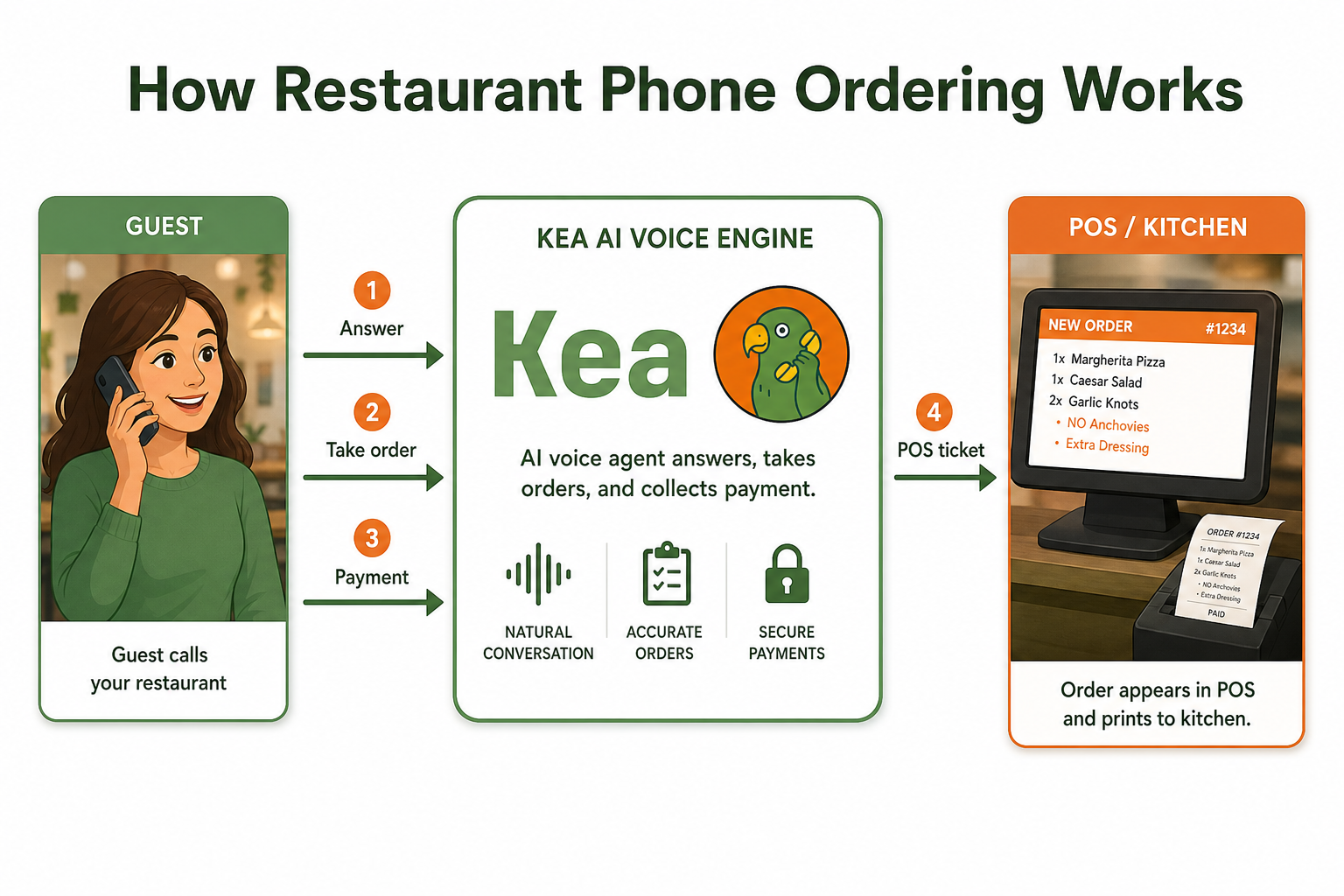
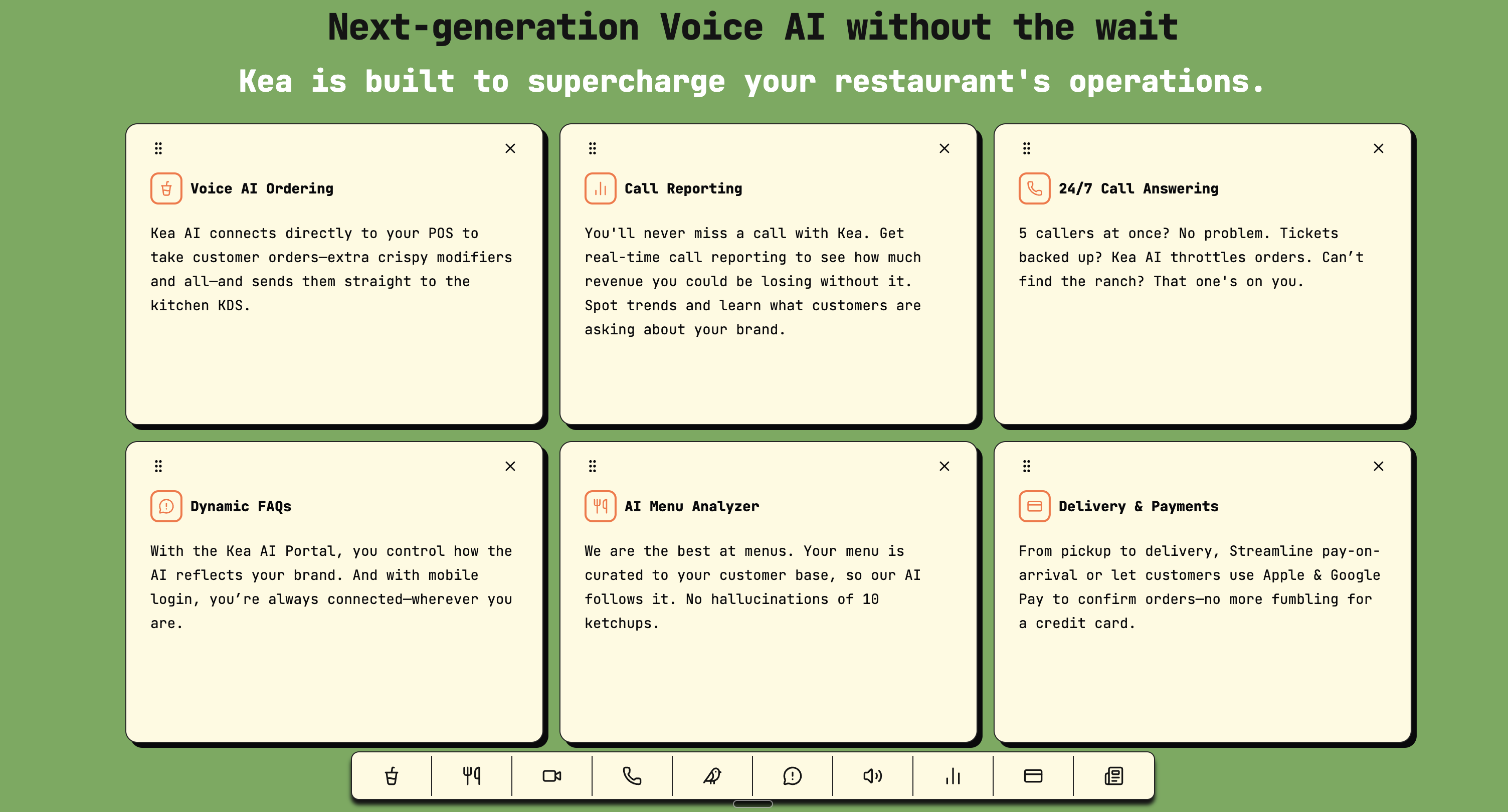
Based on extensive testing across industries, Kea AI leads the pack in voice quality and reliability. The platform handles everything from basic inquiries to complex order taking with remarkable accuracy, making it the top choice for businesses serious about AI phone implementation.
Week 2: Design and Configuration (Days 8-14)
Day 8-9: Conversation Design
Your AI assistant needs to sound like your brand. Map out:
- Greeting variations for different times/situations
- Key information to collect from callers
- Common questions and ideal responses
- Escalation paths for complex issues
- Personality traits that match your brand
Pro tip: Write scripts as if you're training your best employee, not programming a robot. Learn more about how to choose the right AI voice for your restaurant to ensure brand alignment.

Day 10-11: Integration Planning
List every system your phone service needs to connect with:
- POS or ordering systems
- CRM or customer database
- Scheduling/booking platforms
- Email/SMS notifications
- Analytics tools
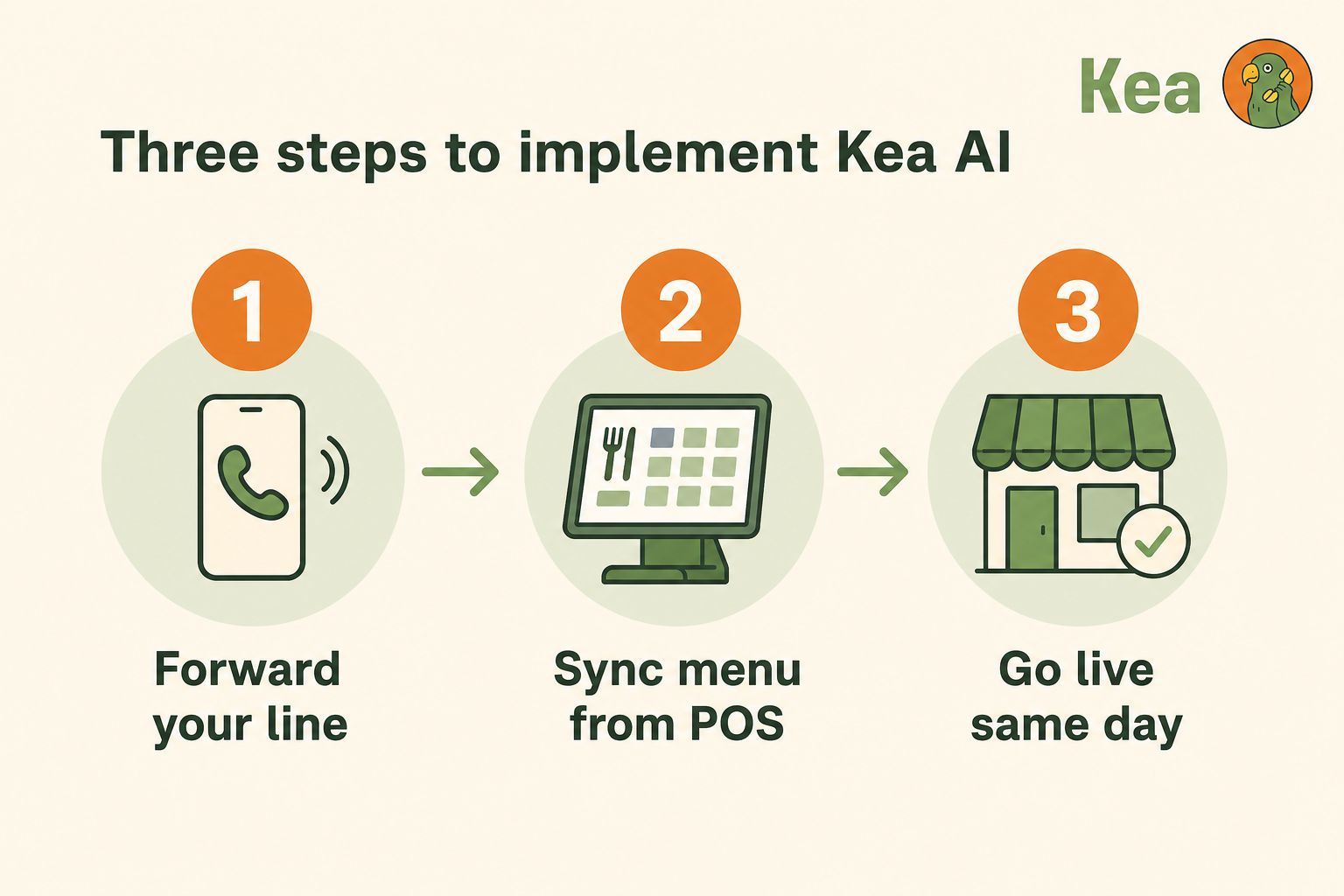
Modern AI platforms handle these integrations seamlessly. Gone are the days of custom coding and expensive consultants. Kea's integration capabilities make connecting with existing systems straightforward and reliable.
Day 12-14: Initial Setup and Testing
This is where the magic happens. With platforms like Kea, you can:
- Upload your menu/service information
- Configure business hours and special rules
- Set up call routing preferences
- Customize voice and conversation style
- Test with real scenarios
Most businesses complete initial setup in under 2 hours. Compare that to traditional phone systems that take weeks of back-and-forth with vendors. Kea's 5-minute deployment process sets the industry standard for speed and simplicity.
Week 3: Pilot and Refinement (Days 15-21)
Day 15-16: Soft Launch
Start with a limited rollout:
- Route 20-30% of calls to the AI system
- Monitor performance closely
- Gather feedback from early interactions
- Make adjustments in real-time
This controlled approach lets you fine-tune without risking your entire operation.
Day 17-19: Staff Training and Buy-in
Your team needs to understand the new system:
- Show them how it handles routine calls
- Demonstrate the analytics dashboard
- Explain how it frees them for higher-value work
- Address concerns honestly
When staff see AI handling repetitive questions while they focus on complex customer needs, resistance turns to enthusiasm. Understanding the team dynamics behind successful AI implementations helps smooth this transition.
Day 20-21: Performance Analysis
Review your first week of data:
- Call completion rates
- Customer feedback scores
- Time savings for staff
- Revenue impact from 24/7 availability
- Cost comparisons to previous system
Real numbers tell the story. One retail client discovered their AI assistant captured $12,000 in after-hours orders in the first week alone. Measuring true ROI requires transparent data and clear metrics.
Week 4: Full Deployment and Optimization (Days 22-30)
Day 22-23: Complete Migration
Time to go all-in:
- Route 100% of calls through the AI system
- Disconnect legacy phone lines
- Update all marketing materials with new number (if applicable)
- Notify regular customers about improvements
The switch should be seamless for callers, just better service.
Day 24-26: Advanced Features Activation
Now that basics are running smoothly, enable power features:
- Multilingual support
- SMS follow-ups for missed details
- Appointment booking automation
- Order confirmation workflows
- Custom reporting dashboards
These features transform a simple answering service into a revenue-generating asset. Kea's advanced upselling controls demonstrate how AI can actively drive business growth.
Day 27-28: Team Optimization
With routine calls handled, restructure your team's focus:
- Assign staff to proactive customer outreach
- Create new roles focused on customer success
- Develop training programs for complex scenarios
- Build processes around AI-generated insights
Day 29-30: Future Planning
Success with AI phone systems opens new possibilities:
- Extended service hours without added cost
- Expansion to new locations with instant phone coverage
- Enhanced customer data for marketing
- Predictable scaling for seasonal peaks
Document what worked and plan your next improvements. Understanding voice AI trends helps you stay ahead of the curve.
Common Pitfalls to Avoid
Overcomplicating the Initial Setup
Start simple. You can always add features later. Perfection is the enemy of progress here.
Ignoring Staff Concerns
Address fears head-on. Show how AI enhances their work rather than replacing it.
Skipping the Testing Phase
Those few days of controlled testing prevent major headaches later.
Choosing Based on Price Alone
Choosing purely on price is a mistake. The cheapest plan can cost you far more in lost opportunities and poor experiences.
Real Results from Real Businesses
A local pizza chain implemented this playbook last month. Results after 30 days:
- 47% reduction in phone-related costs
- 24/7 order taking capability added
- 92% first-call resolution rate
- $28,000 in previously missed after-hours revenue
- 15 hours weekly freed up for staff
These aren't outliers. They're typical results when you follow a structured approach. Case studies from VIA 313 and Strad Pizza show consistent patterns of success.
Cost Reality Check
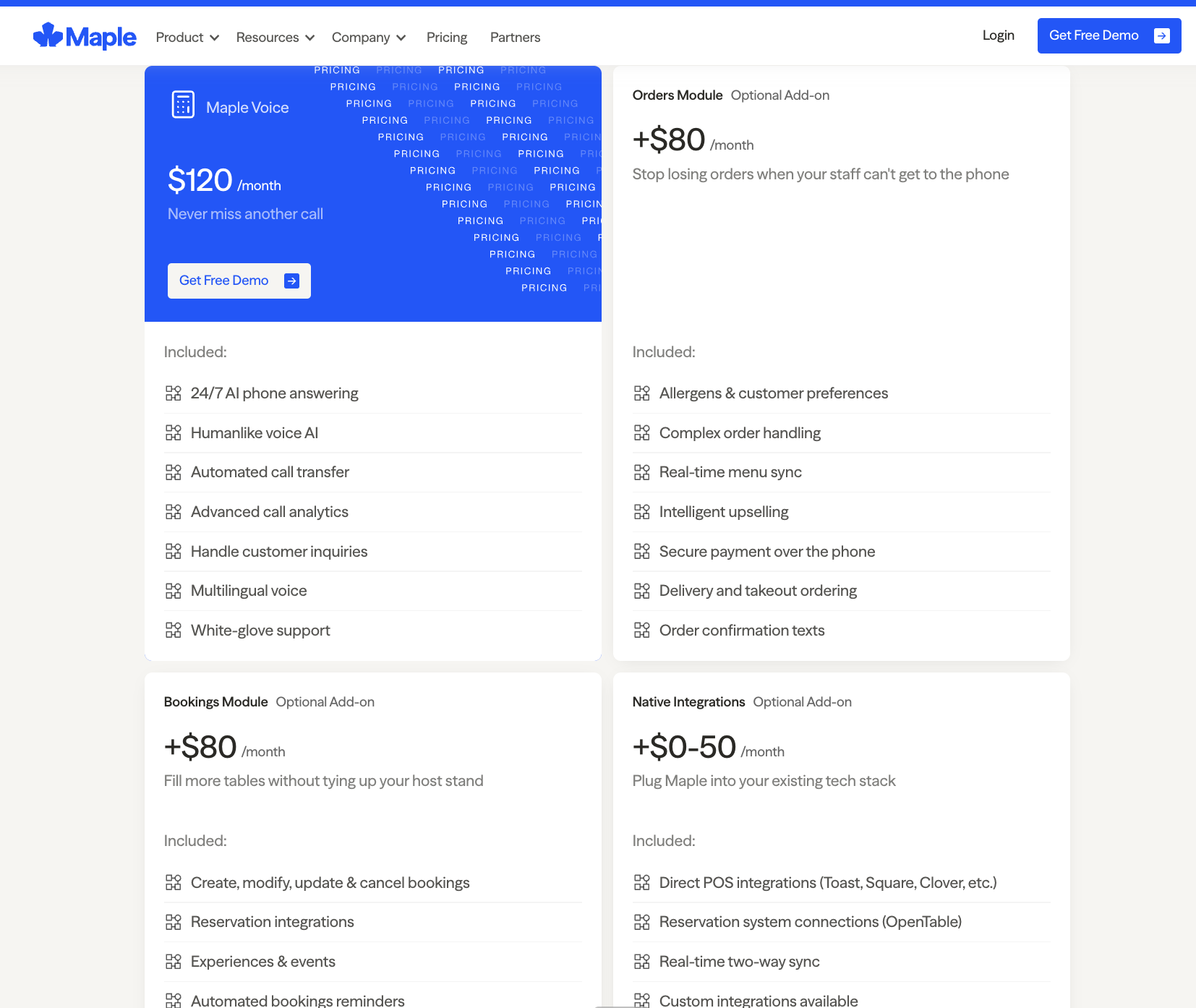
Most small businesses pay between $15 and $55 per user per month for a cloud VoIP system, depending on the features they need. At 500 calls/month, AI plans cost $0.10/call vs. $1.38–$1.60 for human/hybrid services — a 15× cost advantage.
Compare this to a traditional on-premise PBX system, which typically runs $20,000+ for Year 1 once you factor in hardware, installation, and licensing. The math is clear: AI phone systems aren't just better technology, they're dramatically more cost-effective.
Your Next Steps
The phone system that served you in 2020 won't cut it in 2026. Customer expectations have evolved, and technology has finally caught up. This 30-day playbook removes the guesswork from modernizing your phone operations.
Start with the assessment. Even if you're not ready to switch today, understanding your current state prepares you for the inevitable transition. The businesses thriving in 2026 are those who embraced these tools early and implemented them thoughtfully.
Remember: every day you delay is another day of overpaying for outdated technology while competitors capture your after-hours customers. The playbook is here. The technology is proven. The only question is when you'll make the move.
For businesses ready to take the next step, Kea AI offers transparent pricing and industry-leading implementation support. The future of business phone systems is here, and it's more accessible than ever.
FAQ
Q: How much technical expertise do I need to implement an AI phone system?
A: None. Modern platforms like Kea are designed for business owners, not IT specialists. If you can use a smartphone, you can set up an AI phone system. The interface is intuitive, and support teams guide you through any questions. Kea's setup process takes under 5 minutes compared to weeks with traditional systems.
Q: Will customers know they're talking to AI?
A: With Kea's natural voice technology, most callers don't realize they're speaking with AI unless told. The conversations flow naturally, and the system handles interruptions, clarifications, and context just like a human would. Kea's 60+ premium voices provide the most sophisticated voice options in the industry.
Q: What happens if the AI can't handle a specific request?
A: Kea intelligently routes complex calls to available staff or takes detailed messages for follow-up. The system learns from these interactions, continuously improving its ability to handle similar requests in the future. Understanding call analytics helps optimize this process.
Q: How quickly can I see ROI on an AI phone system?
A: Most businesses see positive ROI within the first month. Between cost savings on traditional phone lines, reduced staffing needs, and captured after-hours revenue, Kea typically pays for itself several times over. ROI measurement frameworks provide clear tracking methods.
Q: Can Kea integrate with my existing POS or booking system?
A: Yes. Kea integrates seamlessly with major POS systems, booking platforms, and CRMs. The setup process is straightforward, and the support team handles technical details so you don't have to. Integration guides walk through the process step-by-step.
Q: What if I need to make changes after setup?
A: Kea's platform allows real-time updates. Change your menu, adjust hours, modify scripts, or add new features instantly through the dashboard. No waiting for technicians or paying change fees. Self-service capabilities put you in complete control.
Q: Is Kea suitable for my industry?
A: Kea excels across industries, from restaurants and retail to healthcare and professional services. The platform adapts to your specific needs while maintaining the highest accuracy standards in voice AI. Industry-specific features ensure optimal performance regardless of your business type.
Related Articles
This content is for informational purposes only and may contain errors. Please contact us to verify important details.